







Start With Your Chair
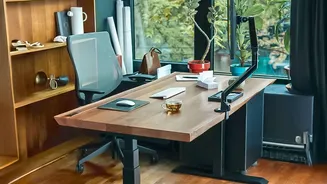
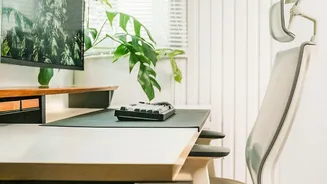
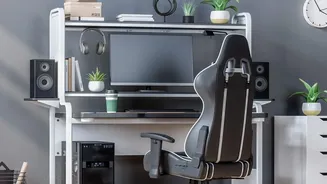
Your chair is the foundation of your workstation. Before you worry about anything else, ensure it’s properly adjusted. Start by setting the height so your feet rest flat on the floor, with your knees bent at roughly a 90-degree angle. If your feet dangle,
use a footrest or even a stack of sturdy books. You should sit all the way back, allowing the chair to support your spine. A good ergonomic chair will have lumbar support that fits into the natural curve of your lower back. If yours doesn't, a small cushion or a rolled-up towel can make a huge difference. Finally, adjust the armrests so your elbows are at about a 90-degree angle and your shoulders can relax.
Position Your Monitor Correctly
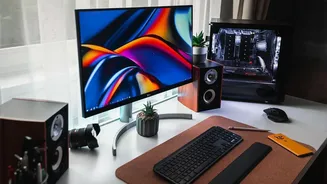
Hunching forward or craning your neck to see your screen is a primary cause of neck and shoulder pain. The rule of thumb is simple: the top of your monitor should be at or slightly below eye level. This allows you to keep your head in an upright, neutral position. The screen should also be about an arm's length away from your face. If you work on a laptop, this posture is nearly impossible to achieve without help. To fix this, elevate your laptop on a stand or a pile of books and use an external keyboard and mouse. This simple change separates your screen from your keyboard, letting you position both ergonomically.
Align Your Desk, Keyboard, and Mouse
Your desk height should allow you to type with your wrists in a neutral, straight position—not bent up or down. Your elbows should remain close to your body and bent at a 90 to 100-degree angle. The keyboard and mouse should be on the same level and within easy reach, so you aren't constantly stretching or straining. Reaching for your mouse can cause shoulder and upper back strain over time. If your wrists are bent or feel strained, your keyboard might be at too steep an angle. Many keyboards have feet that can be folded down for a flatter profile.
Don't Forget the Environment
Ergonomics goes beyond just your main equipment. Proper lighting is crucial to prevent eye strain and headaches. Position your monitor to avoid glare from windows or overhead lights, ideally with the light source at a 90-degree angle to your screen. A cluttered desk can also force you into awkward postures as you reach for items. Keep frequently used tools like your phone, notebook, or a cup of water within easy arm's reach to avoid twisting and straining your back. A clean, organized space is an ergonomic one.
The Most Important Tip: Move
Even the most perfectly ergonomic setup can't protect you from the negative effects of being sedentary. Your body is designed to move. Sitting for prolonged periods, even with good posture, leads to muscle fatigue, stiffness, and reduced circulation. The solution is to incorporate regular movement into your day. Set a timer to remind yourself to stand up, stretch, and walk around for a few minutes every 30 to 60 minutes. These microbreaks are essential for reducing stiffness, preventing pain, and keeping your body and mind fresh throughout the workday. If you have a sit-stand desk, aim to alternate between sitting and standing, but don't make the mistake of standing all day, which can also cause fatigue.