





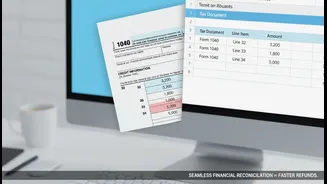


The Deceptive Ease of a Screenshot
It’s a familiar scenario: tax season is in full swing, and you're juggling bank statements, investment summaries, and salary slips. Capturing a quick screenshot of a key figure feels efficient. You tell yourself you’ll just type it into the return later.
The problem is, this method is dangerously unreliable. Screenshots are static images, often taken in a hurry, that lack the context and detail of official documents. They create a fragile, error-prone workflow for one of your most important financial tasks of the year.
The Danger of Cropped and Incomplete Data
A screenshot rarely tells the whole story. You might capture your total capital gains but crop out the purchase date, which is essential for calculating whether the gain is short-term or long-term. You might snap a picture of your savings account interest but miss the notification bar that obscures the full amount. This leads to incomplete data entry. When the Income Tax Department's AI-powered systems cross-reference your return with the data they receive from banks and brokers, these gaps become glaring mismatches that can trigger automated notices.
Manual Entry: An Invitation for Typos
Filing from a screenshot means you are manually transcribing numbers from an image to a form. This is a recipe for simple, yet costly, human error. Transposing digits (e.g., entering ₹45,900 as ₹49,500) or misplacing a decimal point can drastically alter your income and tax liability. These aren't just clerical errors; the tax department may view them as under-reporting or misreporting of income, which can attract significant penalties. Penalties for misreporting income can be as high as 200% of the tax payable on that income.
Ignoring the Official 'Golden Sources' of Data
The Income Tax Department provides official documents that serve as the definitive source of truth for your financial year: Form 26AS, the Annual Information Statement (AIS), and the Taxpayer Information Summary (TIS). Form 26AS is your tax passbook, showing all tax deducted (TDS) and deposited against your PAN. The AIS provides a comprehensive view of all financial transactions reported by banks, mutual funds, and other entities. Filing your return without reconciling your own records against these documents is the biggest mistake you can make. What the department sees on your AIS is what it expects to see on your return.
Missing Out on Valuable Tax-Saving Deductions
A strategy based on screenshots is often focused on reporting income, not on optimising tax. As a result, you are likely to forget or miscalculate valuable deductions. Did your screenshot of a bank statement include the PPF investment you made? Does your photo gallery remind you of the health insurance premiums you paid for your parents? Relying on patchy visual records instead of organised documents like home loan statements, rent receipts, and donation certificates means you are likely leaving money on the table by failing to claim legitimate deductions you are entitled to.
Creating an Audit Trail Nightmare
In case of scrutiny or a simple query from the tax department, the onus is on you to provide proof for the figures you've filed. A folder of screenshots is not a credible audit trail. Downloaded, official PDF statements from banks, brokers, and the income tax portal itself are verifiable documents. They contain timestamps, transaction IDs, and other metadata that can substantiate your claims. Screenshots lack this authority and can be easily dismissed, leaving you in a difficult position to defend your return.