




The First-Year Presentation Panic
It is a scene familiar to almost every new college student: a major presentation is due, the research is finally done, but you are staring at a blank PowerPoint screen at 2 AM. On top of mastering a new subject, you are suddenly expected to be a graphic
designer. Studies confirm this struggle is real; many people find it difficult to create effective layouts and find good visuals for their slides. For first-year students juggling multiple assignments and a new social environment, the pressure to produce a professional-looking presentation can be overwhelming. The time spent fiddling with fonts, aligning text boxes, and searching for the right images is time that could be spent refining your arguments or rehearsing your delivery.
What Exactly Are AI Presentation Tools?
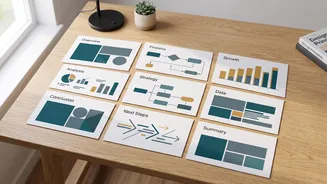
Think of an AI presentation plugin as a smart assistant for your slides. These tools use artificial intelligence to automate the most tedious parts of presentation design. Instead of you manually creating every slide, you provide a prompt, an outline, or even a full research paper. The AI then gets to work, generating a complete, well-structured presentation in moments. Some of these tools, like Plus AI or SlidesAI, integrate directly into familiar platforms like Google Slides and PowerPoint. Others, such as Gamma or Beautiful.ai, are standalone platforms that build entire web-based presentations you can then export. They are designed to do the heavy lifting of design, so you can focus on the quality of your content.
From Blank Page to Full Deck in Minutes
The single biggest advantage of these AI tools is speed. Where you might spend hours crafting a 15-slide deck, an AI can produce a solid first draft in less than a minute. You can feed it a simple topic like "the impact of climate change on coastal cities in India," and it will generate an outline, write concise text for each slide, and select relevant imagery. This process transforms the daunting task of starting from scratch into a far more manageable task of editing and refining. It handles the initial structure, giving you a strong foundation to build upon, which is a massive time-saver when deadlines are piling up.
Smart Design, Not Just Pretty Templates
These tools go beyond just filling in a pre-made template. A key feature of advanced AI presentation makers is their ability to understand content and design slides accordingly. The AI analyzes your text to suggest appropriate layouts, icons, and charts that make the information easier to digest. For instance, platforms like Beautiful.ai automatically adjust the layout as you add or remove content, ensuring every slide remains visually balanced. This is a game-changer for students who may not have a natural eye for design. It helps maintain a professional and consistent look and feel across the entire presentation, a detail that can significantly impact how your work is perceived by professors.
A Word of Caution: Keep the Human in Charge
While AI plugins are incredibly powerful, they are not a substitute for your own brain. Think of the AI-generated deck as a first draft, not the final product. The text can sometimes be generic, and you must always fact-check any data or claims the AI produces. More importantly, AI cannot replicate your unique voice, perspective, or the specific narrative you want to tell. It lacks a true understanding of your audience and the nuances of your topic. Your job is to take the solid structure the AI provides and infuse it with your analysis, personality, and critical thinking. Always review, edit, and personalise the content to make it your own.