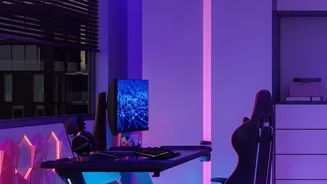







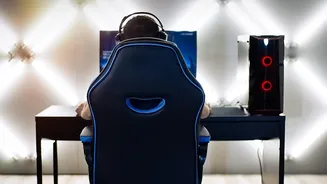
Why Your Desk Setup Is Causing Pain
Humans were not designed to sit for eight hours a day. When we do, especially with poor posture, it places immense strain on our spine. Slouching or hunching forward disrupts the spine's natural S-shaped curve, which is meant to distribute pressure evenly.
This forces muscles in your back and neck to work overtime to support your head. A forward head posture, common when leaning towards a screen, adds a significant amount of force to your cervical spine for every inch you lean. Over time, this constant stress leads to muscle fatigue, disc compression, inflammation, and eventually, chronic pain that can impact your daily life and productivity.
Adjusting Your Chair: A Step-by-Step Guide
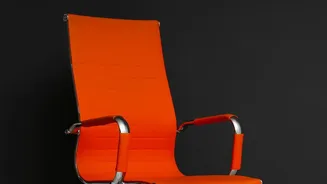
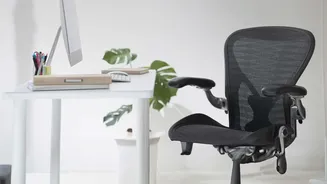
Your chair is your primary line of defence. An ergonomic chair is only effective if it's adjusted to fit your body. Start from the ground up. First, adjust the seat height so your feet are flat on the floor with your knees at a 90-degree angle. You should be able to slide a couple of fingers between the back of your knees and the edge of the seat. Next, focus on lumbar support. This crucial feature should fit into the natural curve of your lower back, around belt level, to prevent you from slouching. Your back should rest gently against the backrest. Finally, adjust your armrests so your shoulders are relaxed and your elbows form a 90-degree angle while typing, keeping your wrists straight.
Positioning Your Monitor for Neck Relief
Just as important as your chair is the position of your monitor. If it's too low, you'll crane your neck down; if it's too high, you'll tilt your head back. Both create strain. The ergonomic ideal is to place the monitor so the top of the screen is at or slightly below your eye level when you are sitting upright. This allows your eyes to look slightly downward toward the middle of the screen, which is a more natural resting position for your gaze. The screen should be about an arm's length away. If you find yourself leaning in to read, you may need to increase the font size on your computer rather than moving the screen closer. Tilting the monitor back slightly, around 10 to 20 degrees, can also help reduce glare and maintain a comfortable viewing angle.
Small Changes with a Big Impact
Beyond the core setup of your chair and monitor, other small habits can make a significant difference. Try to take frequent breaks. A good rule of thumb is the 20-20-20 rule: every 20 minutes, look at something 20 feet away for 20 seconds to reduce eye strain. Even better, stand up, stretch, and walk around for a few minutes every hour to promote circulation and relieve muscle stiffness. If possible, alternating between sitting and standing throughout the day can be highly beneficial. Also, be mindful of your other habits, like cradling a phone between your ear and shoulder, which can lead to severe neck strain. Regular exercise, particularly core-strengthening activities like yoga or pilates, helps build the muscle support your spine needs to withstand a day at the desk.