





Analyse the Light and Shadows
One of the most common mistakes in manipulated images is inconsistent lighting. In any real photo, the light comes from a specific source, and all shadows should behave accordingly. Ask yourself: where is the main light source? If one person in a group
photo is lit from the left, but their shadow falls to the left, something is wrong. Strong, direct light creates sharp-edged shadows, while overcast or indoor light creates softer ones. If the shadow on one object is crisp and another is blurry, the image is likely a composite.
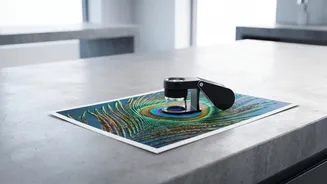
Zoom In on Strange Details
The devil is often in the details. When you zoom in, manipulated images can reveal their flaws. Look for blurry or jagged edges around a person or object, which might indicate they were poorly cut and pasted onto a different background. In the age of AI, pay special attention to hands, ears, and teeth. AI models often struggle with these complex details, resulting in extra fingers, oddly shaped ears, or an incorrect number of teeth. Unnaturally smooth, plastic-looking skin with no pores is another major red flag for both heavy-handed photoshopping and AI generation.
Check Reflections and Patterns
Reflective surfaces are a careless manipulator's worst enemy. If someone is standing near a window, a puddle, a shiny car, or even wearing sunglasses, you should see a reflection that matches the surrounding scene. Often, these reflections are missing or distorted in fake images. Similarly, look for unnatural repetition in patterns. AI can get lazy with textures like hair, fur, or bricks, creating a repeating pattern that looks too perfect and synthetic to be real.
Look for Warped Backgrounds
A classic sign of photo editing, especially when someone has tried to alter their body shape, is a warped or bent background. Check straight lines like door frames, walls, or the horizon. If they appear curved or wavy around a person, it's a clear giveaway that a liquify or warp tool was used. While once a sign of amateur editing, these distortions can still appear even in more sophisticated fakes if you look closely enough.
Perform a Reverse Image Search
If your eyes tell you something is off, technology can help you confirm it. A reverse image search is one of the most powerful tools for debunking fake photos. Using a service like Google Images or TinEye, you can upload the suspicious image to see where else it has appeared online. This can instantly reveal the original, unedited version of the photo, show that it’s an old image being presented in a new and misleading context, or confirm that it has been flagged by fact-checkers. To do this on a computer, go to Google Images and click the camera icon. On a phone, the Google app's Lens feature serves the same purpose.
Question the Source and Your Own Bias
Before you even analyse the pixels, look at the source. Who posted this image? Is it a reputable news organisation or a random account with a history of sharing questionable content? Often, the context clues are just as important as the visual ones. Also, be aware of your own confirmation bias. Disinformation often works by triggering a strong emotional reaction or confirming what we already believe. If an image makes you immediately angry or validated, take an extra moment to pause and question it before sharing.