






Start With Your Chair: The 90-Degree Rule
Your chair is the foundation of a pain-free workday. The goal is to create a series of 90-degree angles. Adjust your chair height so your feet rest flat on the floor, with your thighs parallel to it. Your knees should be at or just below the level of your hips.
This position reduces pressure on your lower back. Your elbows should also form a roughly 90-degree angle, resting comfortably at your sides. This ensures your shoulders can relax instead of hunching forward.
Support Your Lower Back's Natural Curve
Most office chairs have some form of lumbar support, but many people don't adjust it correctly. This support should fit into the natural inward curve of your lower spine. If it's too high or too low, it can do more harm than good. If your chair lacks built-in support, you don't need to buy a new one. A rolled-up towel or a small cushion placed at the small of your back is a highly effective, low-cost solution to encourage better posture and take stress off your spine.
Position Your Monitor at Eye Level
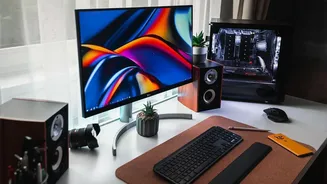
If you're constantly looking down at a laptop screen, you're putting significant strain on your neck and upper back, which often translates to lower back pain. Your monitor should be placed directly in front of you, about an arm's length away. The top of the screen should be at or just below your eye level, so you look slightly downward at the center. If you use a laptop, propping it up on a stack of books or a dedicated stand is a simple fix to achieve the correct height.
Arrange Your Keyboard and Mouse Correctly
Reaching for your keyboard or mouse can throw your entire posture out of alignment. Both devices should be on the same level and close enough to you that your elbows can remain near your body. Your wrists should be straight, not bent up or down, when you type or use the mouse. Try to keep your shoulders relaxed and avoid the common habit of letting them creep up toward your ears as the day goes on. A well-placed keyboard and mouse prevent strain that travels from your wrists and shoulders all the way down your back.
Keep Your Feet Grounded
Letting your feet dangle or tucking them under your chair can destabilize your pelvis and increase the load on your lower back. Your feet should always be flat on the floor. If your chair is adjusted to the correct height for your desk but your feet don't reach the ground, use a footrest. This can be a purpose-built ergonomic tool or simply a sturdy box or a small stool. Ensuring your feet are supported is a crucial step in grounding your posture and providing a stable base for your spine.
Remember That Motion is Medicine
Even the most perfectly ergonomic setup cannot completely protect you from the negative effects of prolonged sitting. The human body is designed to move. Set a reminder to get up, stretch, and walk around for a few minutes every 30 to 60 minutes. Simple actions like standing up to take a phone call, doing gentle backbends, or performing a few seated stretches can dramatically reduce muscle stiffness and improve circulation. These short breaks decompress the spine and provide a necessary reset for your muscles.