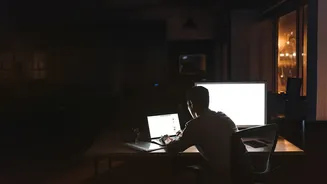








Beyond Screen Recording
When we hear about workplace surveillance, we often imagine a manager watching a live feed of an employee's screen or logging every single keystroke. While those tools exist, a more common and subtle form of monitoring has taken hold. Instead of capturing
the 'what' (the content of your emails or the words in your report), these systems focus on the 'how,' 'when,' and 'where' of your work. They piece together a picture of your productivity by analysing patterns and digital breadcrumbs you leave behind as you work. This method allows companies to measure output and activity without directly accessing the sensitive or personal content on your screen, creating a powerful, albeit less obvious, form of oversight.
The Power of Metadata
One of the most powerful ways to track activity without recording content is through metadata analysis. Metadata is simply 'data about data'. Think of it as the information on the outside of an envelope rather than the letter inside. Monitoring tools can log who you email, when you send it, and the size of the attachments, all without reading the email itself. Similarly, they can track file attributes like who created a document, when it was last modified, and what software was used. Over time, this metadata creates a detailed map of your work habits, communication patterns, and collaboration networks, offering insights into your activity levels and focus without ever capturing a single word of your private conversations or proprietary work.
The Active vs. Idle Timer
A core feature of many productivity tools is the ability to distinguish between 'active time' and 'idle time'. The software doesn't need to see what you're doing to know if you're doing something. It simply monitors inputs like mouse movements, clicks, and keyboard strokes. If there's no input for a pre-defined period, say five minutes, the timer switches from 'active' to 'idle'. This allows employers to see if an employee is at their computer during work hours. While some employees use 'mouse jigglers' to simulate activity, sophisticated systems can sometimes detect unnaturally long periods of activity on a single screen as a potential sign of this. This metric provides a high-level view of engagement without being overly intrusive.
Application and Website Logs
Another common technique is tracking which applications and websites an employee uses and for how long. The software logs the name of the application (e.g., Microsoft Word, Slack, Google Chrome) and the URL of the websites visited, along with the duration of use. These tools can automatically categorise apps and sites as 'productive', 'unproductive', or 'neutral'. For example, time spent in a coding environment would be productive, while time on a social media site might be flagged as unproductive. Some systems even allow employers to block access to certain websites during work hours. This gives managers a clear report on how work hours are spent without needing to see the content on those sites.
The Legal Landscape in India
In India, employee monitoring is generally legal, provided it serves a legitimate business purpose and is done transparently. There isn't one single law for workplace surveillance; instead, regulations are drawn from the Information Technology Act, 2000, and the Digital Personal Data Protection (DPDP) Act, 2023. The right to privacy is a fundamental right, and courts have emphasised that any monitoring must be necessary and proportionate. This means employers should have a clear, written policy informing employees what is being monitored and why. Covert or excessive surveillance, especially on personal devices, can be legally challenged. The introduction of the DPDP Act places stronger obligations on employers to handle employee data responsibly, even when explicit consent for monitoring isn't required for employment purposes.