





The Old Note-Taking Dilemma
For generations, the default classroom experience involved a frantic race to capture a lecturer's words. This process, however, is fundamentally flawed. Students are forced to split their attention between listening to understand, and writing to remember.
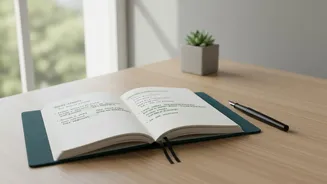
It’s nearly impossible to do both effectively. Important details get missed, handwriting becomes illegible, and the core of the argument can be lost in the scramble. This often leads to hours spent after class trying to decipher messy notes or wishing you could just hear that one crucial explanation again. This constant pressure to manually transcribe can detract from the primary goal of being in the lecture: to engage with the material and think critically in the moment.
How AI Voice Tools Change the Game
AI voice tools, also known as AI note-takers or transcription services, are applications that record audio and automatically convert it into written text. Popular tools like Otter.ai, Glean, and others built into platforms like Microsoft Teams can create a word-for-word transcript of an entire lecture, often in real-time. But their capabilities go far beyond simple voice-to-text. These platforms can distinguish between different speakers, generate concise summaries of long discussions, and identify key terms and action items. For students, this means having a perfect, searchable record of every class without having to type a single word themselves. Some universities have even started providing institutional licenses for these tools, acknowledging their growing importance.
Unlocking Deeper Focus and Engagement
Perhaps the most significant benefit is the cognitive freedom these tools provide. Knowing that every detail is being accurately captured, students can stop focusing on the act of writing and start focusing on the act of learning. They can be more present, participate in discussions, and ask clarifying questions without the fear of falling behind in their notes. This shift from passive scribe to active participant transforms the learning experience. Instead of just documenting the lecture, students can immerse themselves in it, confident that a detailed, searchable record will be waiting for them later.
A Powerful Ally for Accessibility
For many students, these tools are not just a convenience—they are a necessity. Students with learning disabilities like dyslexia or dysgraphia, who may struggle with reading or writing, can use text-to-speech and speech-to-text features to engage with material on their own terms. For those who are deaf or hard of hearing, real-time captions are transformative. Similarly, for international students or multilingual learners, having a written transcript allows them to review complex topics at their own pace, look up unfamiliar terms, and ensure they haven't misunderstood crucial information. AI helps create a more equitable and inclusive learning environment where every student has the resources to succeed.
Smarter Revision, Not Harder
The utility of AI voice tools extends long after the lecture has ended. Instead of rereading pages of handwritten notes or scrubbing through hours of audio recordings, students have a fully searchable digital document. They can instantly find the exact moment a specific term was mentioned or review a complex explanation. The AI-generated summaries provide a high-level overview for quick revision, while some tools can even create flashcards or practice quizzes based on the lecture content. This allows for more efficient and targeted studying, helping students prepare for exams by focusing on core concepts and areas where they feel less confident.
Navigating the Potential Pitfalls
Despite the clear advantages, the rise of these tools comes with important considerations. Privacy is a major concern, as lectures involving class discussions are recorded. There's also the risk of over-reliance, where students might become passive listeners, assuming the AI will do all the work of learning for them. Furthermore, while AI transcription is highly accurate, it's not perfect and can struggle with complex terminology, strong accents, or poor audio quality. Educators and students alike must approach these tools as a supplement to, not a replacement for, active engagement and critical thinking, ensuring they are used to enhance learning rather than shortcut it.