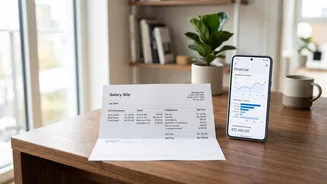






It's a moment of concern for any salaried employee: your payslip clearly shows a deduction for your Provident Fund, but your EPF passbook is missing the entry. This guide explains why this happens and what you can do to secure your savings.
First, Don't Panic: Common Reasons for Discrepancy
Seeing a missing
contribution isn't always a sign of trouble. Several routine issues can cause a delay between the deduction from your salary and its appearance in your EPF account. The most common reason is a simple processing lag. Employers are required to deposit PF contributions by the 15th of the following month. After the deposit, it can take a few more days for the Employees' Provident Fund Organisation (EPFO) to process the transaction and update your passbook. Other benign causes include minor administrative errors, such as a mismatch in your UAN details, or a delay in the employer filing the Electronic Challan-cum-Return (ECR). In some cases, especially if you have recently changed jobs, there might be a delay in consolidating your account under the new employer's member ID.
Your First Step: Verify and Wait
Before escalating the matter, perform a few basic checks. First, log in to the EPFO Member e-Sewa portal and view your passbook. Ensure you are looking at the correct Member ID corresponding to your current employer, as a single UAN can have multiple IDs linked to it from previous jobs. Compare your salary slips for the specific months in question with the entries in your passbook. If the deduction was made less than a month ago, it's often best to wait until the end of the following month to allow for the complete deposit and processing cycle. Regularly checking your passbook is a crucial financial habit that helps you spot issues early.
Next: Contact Your Employer's HR Department
If the contribution is still missing after a reasonable waiting period, your first official point of contact is your employer's HR or payroll department. They are legally responsible for making the deposit. Frame your query professionally and in writing, such as through an email. State the specific months for which contributions are missing and attach copies of the relevant salary slips and a screenshot of your EPF passbook. Ask for clarification and request the ECR challan receipt as proof of payment. In many cases, the issue is a clerical error that the employer can rectify quickly. Maintaining a written record of this communication is vital if you need to escalate the issue later.
Escalation: Filing a Grievance with EPFO
If your employer is unresponsive or unable to resolve the issue, it is time to escalate the matter to the EPFO. The most effective way to do this is by filing a complaint on the EPF i-Grievance Management System (EPFiGMS). This is an online portal designed for employees to report such issues directly. To file a grievance, you will need your Universal Account Number (UAN), details of your employer, and the evidence you've collected, including salary slips. The process involves selecting 'PF Member' as your status, entering your UAN, and then choosing the appropriate grievance category, such as 'Non-deposit of PF contribution'. Provide a clear description of the problem with specific dates and upload your supporting documents. Once submitted, you will receive a unique registration number to track the status of your complaint.
What Happens After You File a Complaint?
Once a grievance is filed, the EPFO will investigate the matter. The organisation has the authority to take serious action against defaulting employers. Under the EPF & MP Act, 1952, an employer who deducts the employee's share but fails to deposit it has committed a punishable offence. The EPFO can levy interest for the period of delay and impose damages. In more severe cases, it can initiate recovery proceedings, which may include attaching the employer's bank accounts to recover the dues. The complaint you file on the EPFiGMS portal creates an official record and obligates the EPFO to follow up. You can track the progress online using your registration number and even send reminders if the issue remains unresolved.