




The Foundation: Your Chair
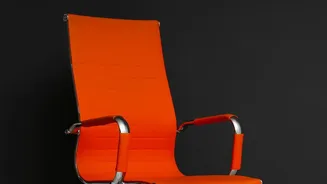
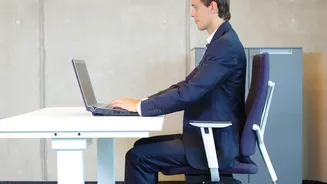
Your chair is the most critical piece of the ergonomic puzzle. An incorrect chair setup forces your spine into unnatural positions, leading to muscle fatigue and pain. Start by adjusting the height. Your feet should rest flat on the floor with your thighs
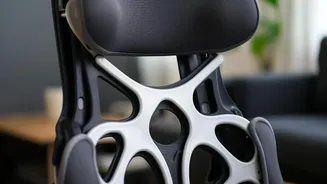
parallel to the ground, creating roughly a 90-degree angle at your knees. If your feet dangle, use a footrest. Next, address the seat depth. You should have a gap of about two to three fingers' width between the back of your knees and the edge of the seat. This prevents pressure on the nerves and blood vessels behind your knees. Finally, adjust the lumbar support to fit the natural curve of your lower back. If your chair lacks built-in support, a rolled-up towel or a dedicated lumbar cushion can work wonders to prevent slouching and maintain a healthy spinal posture.
The View Ahead: Monitor Placement
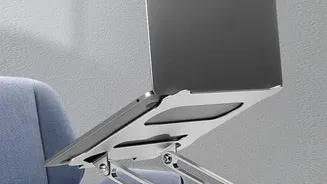
Hunching forward or craning your neck to see your screen is a primary cause of neck, shoulder, and back pain. Proper monitor placement is essential for maintaining a neutral head position. The general rule is to position the monitor so the top edge of the screen is at or just slightly below your eye level. This allows you to look slightly downward toward the center of the screen, which is a more natural resting position for your eyes. The monitor should be about an arm's length away—typically 20 to 30 inches. If you find yourself squinting or leaning in, it's too far; if you feel like you're in the front row of a cinema, it's too close. If you use two monitors, place your primary one directly in front of you and the secondary one to the side at a slight angle.
At Your Fingertips: Keyboard and Mouse
Your keyboard and mouse position directly impacts your arm, shoulder, and ultimately, your back posture. They should be placed at a height that allows your elbows to be bent at roughly a 90-degree angle, with your forearms parallel to the floor. Your shoulders should be relaxed, not hunched up towards your ears. Place the keyboard and mouse close to the front of the desk so you can use them without reaching. Reaching forward pulls your shoulders out of alignment and encourages you to slouch. The mouse should be right next to the keyboard to prevent unnatural stretching of your arm and shoulder. Keeping these devices central and close to your body ensures your wrists stay straight and your upper body remains in a relaxed, neutral position.
The Secret Weapon: Movement
Even the most perfect ergonomic setup cannot eliminate the stress of prolonged sitting. The human body is designed to move. Integrating regular movement is non-negotiable for a healthy back. Experts recommend taking a break to stand, stretch, or walk around every 30 to 45 minutes. These short breaks improve circulation, reset your posture, and reduce muscle tension. You don't need a full workout; simple actions make a huge difference. Try standing up when you take a phone call, doing gentle shoulder rolls at your desk, or taking a quick walk to get some water. This practice of 'active breaking' fights the stiffness and mental fatigue that sets in from being stationary, boosting both your physical well-being and your productivity.