


That nagging feeling of tired, gritty eyes and a stiff neck after hours on your laptop is all too common. Known as digital eye strain, it’s a modern problem, but one you can solve by creating a more comfortable workspace.
Finding the Right Screen Brightness
The golden rule for screen brightness
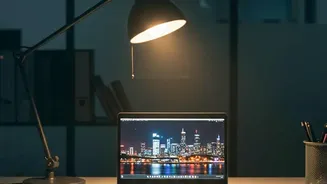
is simple: it should match the light level of your room. A screen that’s the brightest light source in a dark room is too bright, while a dim screen in a sunny room forces you to squint. Both cause eye strain. For a standard indoor office environment, a brightness level between 250 and 350 nits (a unit of screen luminance) is generally recommended for comfortable viewing. If you're in a dimly lit space, dropping the brightness to around 120 to 180 nits can improve comfort. Many modern laptops have an adaptive brightness feature that adjusts automatically, but you can always fine-tune it manually to find what feels best for your eyes. The goal is clear, readable text without any distracting glare or the feeling that you're staring into a lightbulb.
Position Your Screen for All-Day Comfort
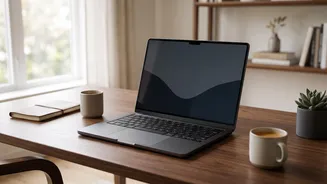
How your laptop is positioned is just as important as its brightness. Poor screen placement is a primary cause of neck, shoulder, and back pain. To start, the top of your screen should be at or slightly below your eye level. This prevents you from tilting your head up or hunching down, which strains the muscles in your neck. The ideal viewing distance is about an arm's length away, typically 20 to 28 inches. If the text looks too small at that distance, increase the font size in your settings rather than leaning forward. For anyone using a laptop for extended periods, investing in a separate keyboard and mouse is highly recommended. This allows you to raise the laptop on a stand to achieve the correct screen height while keeping your hands and wrists in a neutral, relaxed position.
Managing Annoying Reflections and Glare
Glare from windows and overhead lights is a major source of visual discomfort. The most effective way to combat this is by positioning your desk correctly. Try to place your monitor so that the window is to your side, not directly in front of or behind you. A window behind you will create strong reflections on the screen, while facing a window forces your eyes to constantly adjust between the bright outdoors and your dimmer screen. If moving your desk isn't an option, controlling the light source is the next best step. Closing blinds or curtains can soften harsh sunlight. For persistent issues, an anti-glare screen protector can be a great investment. These films have a matte finish that diffuses reflected light, making your screen much easier to see. You can also apply anti-glare window films directly to the glass to soften the light before it even enters the room.
Build Habits for Better Eye Health
Beyond your physical setup, developing good habits is crucial for longterm eye comfort. The most widely recommended practice is the '20–20–20 rule'. Every 20 minutes, take a 20–second break to look at something at least 20 feet away. This simple exercise allows the focusing muscles in your eyes to relax. It's also important to remember to blink. When staring at a screen, people tend to blink far less often, which can lead to dry, irritated eyes. Consciously blinking more frequently helps keep your eyes moist. If dryness persists, lubricating eye drops, often called artificial tears, can provide relief. Finally, taking regular, longer breaks where you get up, stretch, and walk away from your screen helps reduce both muscle and eye fatigue.