







Ground Yourself: Start From the Floor Up
Proper posture begins with a solid foundation. Your feet should rest flat on the floor. If they dangle, you’re putting strain on your lower back and cutting off circulation. The first adjustment to make is your chair height. Raise or lower it until your thighs
are roughly parallel to the floor and your knees are bent at about a 90-degree angle. If your desk is too high to allow this, use a footrest or even a sturdy box to bring the floor up to your feet. This simple step ensures your weight is evenly distributed and stabilises your entire body.
Fine-Tune Your Seat and Back Support
Now that your height is set, focus on how you sit in the chair. Slide your hips back as far as they can go, ensuring your lower back is in firm contact with the backrest. There should be a small gap, about two to three fingers wide, between the front edge of the seat and the back of your knees. This prevents the seat from pressing into your nerves and blood vessels. For back support, the chair’s lumbar curve should fit into the natural curve of your lower spine, usually just above your belt line. If your chair lacks adjustable support, a rolled-up towel or a small cushion can work wonders. A slightly reclined posture of 100-110 degrees is often more comfortable and better for your spine than sitting bolt upright.
Look Straight Ahead: Your Monitor Is Crucial
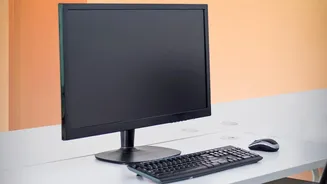
One of the biggest culprits of neck and shoulder pain is improper monitor placement. Hunching forward or craning your neck upward creates constant strain. The rule of thumb is to position the top of your monitor screen at or slightly below your eye level. When you look at the center of the screen, your gaze should be directed slightly downward. The monitor should also be about an arm's length away from you. If you find yourself leaning in to read, you may need to increase the font size on your computer rather than moving the screen closer. For laptop users, this posture is nearly impossible to achieve without help. Using a separate monitor or at least an external keyboard and mouse with a laptop stand is critical for long work sessions.
Position Your Keyboard and Mouse Correctly
Wrist and forearm pain often comes from poor keyboard and mouse placement. Your goal is to keep your wrists straight and in a neutral position, not bent up, down, or to the side. To achieve this, adjust your setup so your elbows are at a 90 to 100-degree angle and close to your body. Your forearms should be roughly parallel to the floor. The keyboard and mouse should be close enough that you don't have to reach for them, which can strain your shoulders. If you find your wrists resting on the sharp edge of the desk, you may need a keyboard tray or a soft wrist rest to provide support. Keep the mouse close to the keyboard to avoid excessive reaching.
The Best Posture Is Your Next Posture
Even a perfectly ergonomic setup has a flaw: it encourages you to stay still. The human body is designed for movement, and static postures, no matter how good, will eventually lead to discomfort. The most important ergonomic habit is to change your posture frequently. Get up, stretch, and walk around for a few minutes at least once every hour. Many experts recommend the 20-20-20 rule to combat eye strain: every 20 minutes, look at something 20 feet away for 20 seconds. These microbreaks give your muscles and eyes a chance to relax and reset, preventing the fatigue that builds up over a long workday.