






The Old Music Problem
Every YouTuber, podcaster, and social media manager knows the pain. You spend hours, even days, perfecting a video, only to have your audio options be a choice between expensive licensing, generic stock music that everyone else uses, or the risky move
of using a popular song and hoping you don't get caught. Traditional music licensing can be costly and complicated. Free stock music libraries are a good starting point, but the tracks are often overused, making it hard for your content to stand out. This is more than just an annoyance; it’s a branding issue. The right score can make your content feel professional and unique, while the wrong one can make it feel generic and cheap.
How AI Music Generators Change the Game
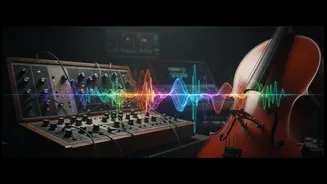
Artificial intelligence music tools are designed to solve this exact problem. Instead of searching through libraries of pre-made tracks, you generate new music from scratch using simple text prompts. You can describe the mood, genre, and instrumentation you want—for example, “a gentle, lo-fi beat for a study video” or “an epic, orchestral score for a drone shot.” The AI then composes a completely new piece of music based on your instructions. Tools like Suno, Udio, and Mubert are leading this charge, offering powerful features that are accessible even to those with zero musical training. This allows creators to move from being music consumers to music directors, crafting a sonic identity that is perfectly tailored to their content.
A Practical Toolkit for Creators
Getting started is surprisingly simple. Many platforms offer free or generous trial tiers, allowing you to experiment without commitment. Suno, for example, is well-regarded for its ability to create full songs, even with vocals, from a simple prompt. This is great for creating catchy intros or custom jingles. Mubert specialises in generating background music of a specific length and mood, which is perfect for podcasts or longer videos where you need a consistent vibe. For those who want more granular control, some platforms allow you to tweak tempo, change instruments, and even edit tracks section by section. The key is to start with a clear idea of the feeling you want to evoke. Think like a film director: does this scene need to feel tense, happy, reflective, or energetic?
Tips for Crafting a Truly Unique Score
To avoid generic-sounding AI music, specificity is your best friend. Instead of just asking for “happy music,” try “upbeat, acoustic folk with a gentle ukulele and soft hand claps.” Don't be afraid to regenerate a track multiple times or combine the best parts of different generations. A powerful technique is to create several simple, instrumental layers. For instance, generate a simple piano melody, then a separate ambient pad, and layer them in your video editing software. This gives you more control over the mix and ensures the music supports your narration without overpowering it. Think of it as a collaboration with the AI. You provide the creative direction, and it handles the technical execution.
Is It Really 'Copyright-Free'?
This is the most critical question. The term often used is "royalty-free," but the licensing models are key. Most AI music platforms grant you a commercial license with their paid plans, meaning you can use the music in monetised content on platforms like YouTube without owing ongoing royalties. This licence is a contract between you and the platform. However, this is different from owning the copyright yourself. In most places, work created entirely by AI cannot be copyrighted by the user, which means while you can use it, you may not be able to stop others from copying it. Always read the terms of service for the specific tool you are using. For most creators, the commercial license is exactly what they need: the right to use custom music without fear of copyright claims or demonetisation.