



The Double-Edged Sword of Convenience
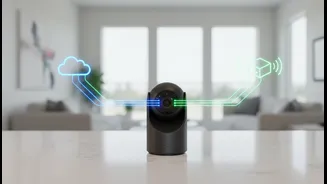
Smart-home cameras, from video doorbells to indoor monitors, have become a popular way to keep an eye on our property, pets, and loved ones. The core appeal is remote viewing: the ability to pull up a live video feed on your smartphone, no matter where
you are. This feature is incredibly convenient, but it relies on connecting the camera to the internet, which inherently creates pathways for potential unauthorized access. Every device connected to the internet is a potential entry point for cyber attackers, and cameras are attractive targets due to the sensitive nature of the data they capture.
Default Passwords: An Open Invitation
One of the most significant and easily exploited vulnerabilities in smart home devices is the use of default login credentials. Many cameras and routers are shipped from the factory with generic, publicly known usernames and passwords like "admin" and "password". Attackers use automated programs to constantly scan the internet for devices still using these default settings. Finding one is like finding a key left in the door. Changing the default password on your camera and your Wi-Fi router to something long, complex, and unique is the single most important first step in securing your home.
Securing Your Digital Front Door: Your Wi-Fi Network
Your camera is only as secure as the network it's connected to. An insecure Wi-Fi network allows an attacker to potentially monitor all the traffic passing through it, including your camera feeds if they aren't properly encrypted. Ensure your home Wi-Fi is protected with a strong password and uses the latest encryption standard, such as WPA3 or at least WPA2. For an added layer of security, many modern routers allow you to create a separate "guest" network. Placing your smart devices on this isolated network can prevent a compromised camera from giving an attacker access to more sensitive devices like your computer or phone.
The Power of Two-Factor Authentication (2FA)
Even a strong password can be stolen in a data breach of another service. That's where two-factor authentication (2FA) becomes a crucial second line of defense. When enabled, 2FA requires a second piece of information—typically a temporary code sent to your phone—in addition to your password to log in. This means that even if a hacker gets your password, they won't be able to access your camera's account without also having physical access to your phone. Many major camera manufacturers now offer 2FA, and you should always enable it if available.
Keep Your Devices Updated
Manufacturers periodically release firmware updates for their devices. These updates often contain critical security patches that fix vulnerabilities discovered after the product was released. Attackers actively seek out devices running old, unpatched firmware with known weaknesses. Many cameras allow you to enable automatic updates, which is the best way to ensure you're always protected. If not, make a habit of regularly checking the manufacturer's app or website for new updates to keep your system's defenses current.
Thinking Before You Buy and Place
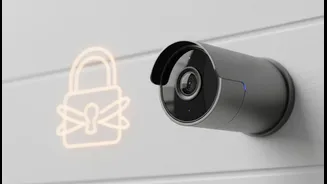
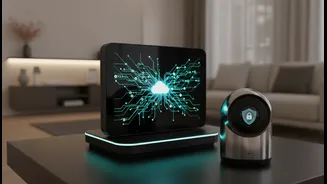
Security starts before you even set up the device. Before purchasing a camera, research the manufacturer's security track record and look for models that support key features like end-to-end encryption (E2EE), which scrambles your video feed so that only you can view it. Also consider camera placement. A camera pointed at your front door poses a different level of privacy risk than one in a bedroom or other private space. Be mindful of what is in the camera's field of view and consider whether you truly need remote access for cameras placed in highly sensitive areas.