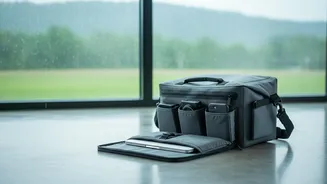




Invest in a Waterproof Backpack
The first line of defence is a high-quality waterproof bag. While many backpacks are marketed as 'water-resistant', this often means they can only handle light showers. For heavy rain, you need a truly 'waterproof' model, which typically features a plastic
or nylon coating that prevents water from seeping through. When shopping, look for bags with sealed zippers and a dedicated, padded laptop compartment for an extra layer of protection. These bags are a worthy investment for anyone commuting with a laptop, ensuring your most expensive gadget stays dry even if you get soaked.
Use Waterproof Pouches and Sleeves
For those who don't want to replace their current backpack, waterproof pouches and sleeves are an excellent and affordable alternative. You can find waterproof sleeves for laptops and smaller dry bags for phones, chargers, and power banks. These create a sealed barrier against moisture. For phones, a transparent waterproof pouch allows you to use the touchscreen even while it's protected inside. This is perfect for when you need to check directions or answer a call in the middle of a downpour without risking water damage.
Embrace the Low-Cost DIY Method
If you are caught unprepared, a few simple household items can save your devices. A large, thick plastic bag or a bin liner can serve as an effective inner lining for your backpack. Place your laptop sleeve and other gadgets inside this bag before putting it in your main backpack. For smaller items like phones and wallets, a couple of zip-lock bags can provide a surprisingly effective waterproof seal. The key is to double-bag for extra security, ensuring all air is squeezed out and the seals are tightly closed before you venture out.
Always Fight the Humidity
Rain isn't the only enemy during the monsoon; high humidity can be just as damaging over time. Moisture in the air can seep into your devices, leading to corrosion and malfunction. A simple way to combat this is by placing a few silica gel packets in your laptop bag. These small pouches are excellent at absorbing moisture and are often found in new shoe boxes or with electronic products. Tossing a few into the compartments of your bag will help keep the internal environment dry and protect sensitive electronic components.
Power Down Before You Step Out
A simple but crucial step is to completely shut down your laptop before leaving your home or office. A running device generates heat, and if it comes into contact with water, the combination of liquid and electricity dramatically increases the risk of a short circuit. A powered-down device is far less likely to suffer catastrophic failure if it accidentally gets wet. Also, be mindful of thunderstorms, which are common during the rainy season. Power fluctuations and lightning can damage a device that's plugged in, so it's wise to unplug everything during a storm.
The Emergency Plan: What to Do If a Gadget Gets Wet
If the worst happens and your device is soaked, act fast. First and foremost, do not try to turn it on. If it's on, power it down immediately. Disconnect any cables and, if possible, remove the battery. Gently wipe the exterior with a soft, dry cloth. Despite the popular myth, do not put your phone in a bag of rice. Rice can't effectively absorb the moisture trapped deep inside, and small grains can get lodged in ports, causing more harm. Instead, place the device in an airtight container with several silica gel packets, which are far more effective at absorbing moisture. Let it sit for at least 24 to 48 hours before attempting to power it on. If it still doesn't work, take it to a professional repair service immediately.