



The Challenge of Capturing Creativity
Every creator, from YouTubers and podcasters to writers and designers, knows the feeling. A brilliant idea for a new project, a solution to a nagging problem, or the perfect line of dialogue strikes while you are driving, walking, or in the middle of another
task. The scramble to jot it down on a napkin, type a cryptic note into your phone, or send yourself a garbled voice memo is a universal experience. The problem is that these captured fragments often end up in a digital junk drawer, disconnected and lacking context, making them difficult to act upon later.
From Spoken Words to Searchable Text
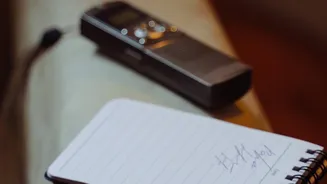
This is where voice-to-text technology fundamentally changes the game. At its core, the process is simple: you speak, and an application transcribes your words into text. People naturally speak much faster than they type, so dictation immediately removes a major bottleneck between an idea and its documentation. Instead of a collection of audio files you have to replay, you get a searchable text document. This makes retrieving information faster and more efficient. Modern transcription tools have become remarkably accurate thanks to advancements in artificial intelligence and natural language processing, able to handle different accents and filter out some background noise.
The Real Magic: Structuring Your Thoughts
Simple transcription is useful, but the true power lies in turning that raw text into a structured plan. This is where creators can build a system. It starts with how you speak. By verbalizing structure—saying things like "New Idea: Create a video about…" or "To-Do: Research X"—you embed organizational cues directly into your notes. When you review the transcription, these keywords make it easy to sort and categorize. Many advanced tools now automate this process further. Some AI-powered transcription services can automatically identify and highlight action items, decisions, and key points from a block of text. This means a long, rambling voice note about a project can be automatically summarized into a neat to-do list.
Tools for the Modern Indian Creator
A variety of tools cater to this workflow. Many smartphones have built-in voice memo apps with surprisingly good transcription capabilities. For those needing more power, dedicated apps like Otter.ai, Speechnotes, and even features within Google Docs offer real-time transcription. Some applications, like AudioPen, are designed specifically to take scattered verbal thoughts and use AI to transform them into coherent, well-structured notes. For creators who conduct interviews or have many meetings, services like Otter.ai can even distinguish between different speakers and create summaries, pulling out the most important action items for follow-up. The key is to find a tool that integrates smoothly into your existing workflow, whether it’s a simple recorder or a full-featured AI meeting assistant.
Best Practices for an Effective Workflow
To get the most out of voice-to-text, it helps to follow a few simple guidelines. First, speak as clearly as possible and try to minimize background noise, although modern tools are increasingly tolerant of imperfect conditions. Second, develop a consistent system. Decide on specific keywords you will use to signal tasks, ideas, or questions. For example, always starting a to-do item with the word "Action" can make sorting later much easier. Finally, schedule time to regularly review your transcribed notes. A weekly review session where you process your voice notes, move them into your project management system, and delete what is no longer relevant prevents a new kind of digital clutter from building up.