






Your Phone is a Window to the Cosmos
Before you download anything, it's important to understand how these apps work. They use your phone's built-in sensors—GPS for location, a compass for direction, and a gyroscope for orientation—to create a real-time map of the sky. When you point your phone at a bright
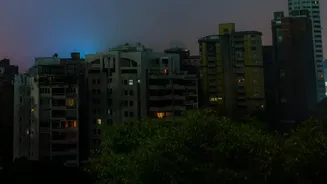
dot in the night, the app overlays information directly onto your screen using augmented reality (AR). This allows it to instantly identify whether you are looking at the planet Jupiter, the star Sirius, or even the distant Andromeda Galaxy. You don’t need an expensive flagship phone; most modern Android and iOS devices are more than capable. For the best experience, a clear night and a location away from city light pollution are all you truly need.
Top Apps for Beginner Stargazers
Choosing an app can be overwhelming, but a few stand out for their user-friendly design and powerful features. Star Walk 2 is widely considered one of the best for beginners. Its polished augmented reality view makes identifying objects as simple as pointing your phone at them. The free version is robust, offering beautiful visuals and tracking for stars, constellations, and planets. SkyView Lite is another excellent choice, praised for its simplicity. It uses your camera to overlay astronomical information, making it intuitive to spot and identify celestial bodies day or night. It’s a no-fuss option if you just want a quick guide to what’s above you. Stellarium Mobile offers a more realistic and detailed planetarium experience. While the interface is packed with data, its free version provides an incredibly accurate map of the sky, showing exactly what you see when you look up. It’s a great tool for those who want to dive deeper into astronomy.
How to Get the Best Results
Once you've installed an app, there are a few simple steps to enhance your cosmic exploration. First, find the darkest spot you can. Light pollution from cities washes out all but the brightest stars and planets. Even a local park can be a significant improvement over your backyard. Second, give your eyes time to adjust to the darkness—about 15-20 minutes. Many astronomy apps include a 'night mode' with a red-light filter, which helps preserve your night vision while you use your phone. Finally, while handheld viewing works well, a small, inexpensive tripod for your smartphone can make a world of difference. It keeps the view steady, making it easier to read star names and even attempt some basic astrophotography.
Beyond Identification: Simple Sky Photography
Many people are surprised to learn that their smartphone is capable of astrophotography. While it won't produce images like the James Webb Space Telescope, you can capture surprisingly good photos of constellations, star trails, and even the International Space Station passing overhead. Some phones have a dedicated 'Astrophotography' or 'Night Sight' mode that automatically takes long-exposure photos when the device is held perfectly still on a tripod. Apps like PhotoPills and DeepSkyCamera can give you more manual control over settings like ISO and shutter speed, allowing you to capture more light from faint objects. Using your headphone's volume button as a remote shutter can also prevent the camera shake that occurs when you tap the screen.