



If your eyes feel tired, dry, or strained after a long day of work, you're not alone. The fix involves more than just dimming your display; it's about creating a perfect balance between your screen and the light around you.
Understanding Digital Eye Strain
That familiar feeling of tired,
burning, or itchy eyes, often accompanied by headaches or blurred vision after hours on a computer, has a name: Digital Eye Strain, or Computer Vision Syndrome. It's a collection of symptoms that arise from prolonged use of digital devices. This happens because our eyes have to work harder to focus on screens, which can be compounded by glare, poor posture, and even a reduced blink rate—we tend to blink only 5 to 7 times per minute when staring at a screen, compared to a normal rate of 15.
Finding the 'Just Right' Screen Brightness
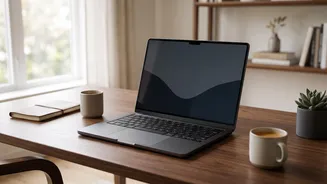
The key principle for screen brightness is to match it with the ambient lighting in your room. A screen that is significantly brighter than its surroundings acts like a light source, forcing your eyes to constantly adjust and leading to fatigue. Conversely, a screen that is too dim can cause you to squint and strain. A simple test is to open a white background, like a blank document. If it looks like a lamp or a glowing box in the room, it's too bright. If it appears dull and grey, it's likely too dark. It should resemble a well-lit piece of paper. Many modern laptops have an adaptive brightness feature that automatically adjusts based on ambient light, but you can always adjust it manually using your keyboard's function keys or system settings.
Mastering the Light Around You
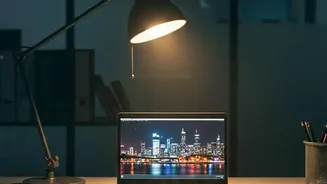
Controlling the light in your environment is just as crucial as adjusting your screen. The primary goal is to minimize glare. Avoid placing your monitor directly in front of a window or with a bright light source behind you. Position your workstation perpendicular to windows and use blinds or curtains to control natural light. Instead of harsh overhead lights, opt for softer, indirect ambient lighting from lamps. For office environments, a general illuminance of around 500 lux is often recommended. The idea is to create an evenly lit space where your screen doesn't have to compete with bright spots or reflections.
The Role of Blue Light and Night Modes
Blue light is a high energy wavelength emitted by the sun and digital screens. While current research hasn't proven that blue light from devices causes permanent eye damage, its exposure in the evening can disrupt your body's natural sleep cycle by suppressing melatonin production. This is why many experts recommend reducing screen time before bed. Most operating systems and smartphones now have a built in 'Night Light' or 'Night Shift' setting. This feature reduces the amount of blue light emitted by the screen, giving it a warmer, more yellow tone that is generally easier on the eyes in dark environments and less likely to interfere with sleep.
Beyond the Screen: Habits and Ergonomics
A truly comfortable workstation involves more than just lighting. Good ergonomics and habits play a significant part in reducing strain. Start by following the '20-20-20 rule': every 20 minutes, look at an object at least 20 feet away for 20 seconds. This simple practice allows your eye muscles to relax. Position your screen about an arm's length (roughly 25 inches) away, with the top of the monitor at or just below eye level so you're gazing slightly downward. Finally, make a conscious effort to blink more often to keep your eyes lubricated.