





That tired, gritty feeling in your eyes after a long day of work is a familiar modern ailment. Digital eye strain, or Computer Vision Syndrome, affects millions. But relief is possible by creating harmony between your screen and your environment.
Match Your Screen to Your Room
The golden
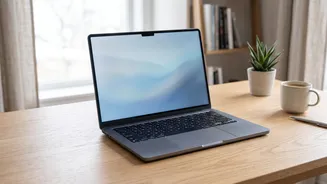
rule of screen brightness is balance. Your screen should not be a lone beacon in a dark room, nor should it be a dim mirror in a bright one. The goal is to match the brightness of your laptop display to the ambient light in your workspace. A good test is to hold up a piece of white paper; your screen's white background should have a similar level of brightness. When your screen is significantly brighter or dimmer than your surroundings, your eyes are forced to constantly readjust, leading to fatigue and headaches. Most modern laptops have an auto-brightness feature which is a great starting point, but manual adjustments are often necessary to find the perfect level for your comfort.
Control Your Environment's Lighting
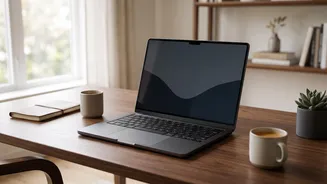
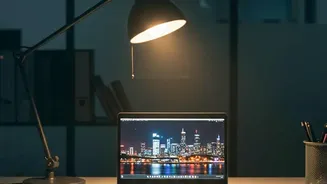
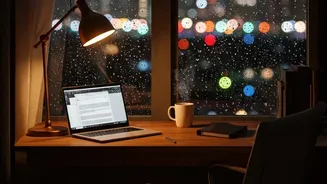
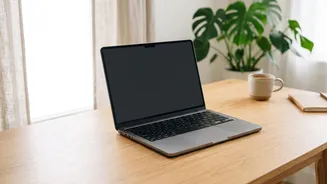
Controlling the light around you is just as important as adjusting your screen. Ideally, position your workstation so that windows are to the side of your monitor, not directly in front of or behind you. Light from behind causes glare on the screen, while a bright window behind the monitor creates intense contrast that strains your eyes. Use blinds or curtains to manage intense sunlight. For artificial light, opt for soft, indirect lighting rather than harsh overhead fixtures that can cause reflections. A shaded desk lamp can illuminate your documents without shining on the screen or into your eyes. If you're unsure about glare, turn your monitor off; any reflections you see on the dark screen are what your eyes are fighting against during the day.
Positioning is Everything
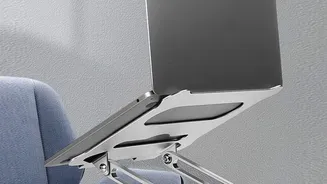
Proper ergonomics can dramatically reduce both eye and neck strain. Position your monitor about an arm's length away from your eyes, which is typically between 50 and 70 centimetres. The top of the screen should be at or slightly below your eye level. This allows you to maintain a neutral neck position and a slight downward gaze, which is a natural resting position for the eyes and helps reduce surface evaporation from your tears. The screen should be tilted back slightly, around 10 to 20 degrees, to align with your line of sight and further minimise glare from overhead lights.
Embrace the 20-20-20 Rule
One of the most effective habits for combating digital eye strain is the 20-20-20 rule. It’s simple: every 20 minutes, take a 20 second break to look at something at least 20 feet away. This brief interruption allows the focusing muscles inside your eyes to relax, which they can't do while locked onto a nearby screen. Staring at screens also causes people to blink less frequently—sometimes only a third as often as normal—leading to dry, irritated eyes. Taking these microbreaks serves as a reminder to blink and re lubricate your eyes. While it won't cure underlying vision problems, consistent use can significantly reduce daily fatigue and discomfort.
Consider Dark Mode and Blue Light
Dark mode, which displays light text on a dark background, can reduce glare and be more comfortable for many users, especially in low light environments. It can also reduce exposure to blue light, which some studies suggest can interfere with sleep cycles, making it a good option for evening work. However, dark mode is not a universal solution. In bright rooms, traditional light mode (dark text on a light background) often provides better clarity. For some people, particularly those with astigmatism, the way pupils dilate in dark mode can make it harder to focus. The key is to experiment and see what feels best for your eyes in different lighting conditions.