





What is a Home Manual?
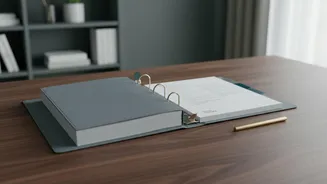
Think of a home manual as the ultimate user's guide for your house. It's a single, centralised place for all the critical information you need to run, maintain, and repair your property. Whether it's a physical three-ring binder or a digital folder, this
manual ends the frantic search through junk drawers and email archives. It compiles everything from appliance manuals and contractor numbers to paint codes and maintenance schedules. The goal isn't just to store information, but to make it instantly accessible, especially in an emergency. A good manual brings peace of mind, transforming household management from a stressful scramble into a streamlined process.
Gathering Your Core Information
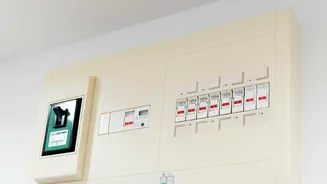
Before you can organize anything, you need to collect the raw materials. Start by gathering all the essential documents and details related to your home. This includes instruction manuals, warranties, and receipts for all major appliances like the refrigerator, oven, washing machine, and HVAC system. Create a comprehensive contact list of trusted service providers: plumbers, electricians, handymen, and landscapers. Document cosmetic details like paint colours and brands for each room, flooring types, and countertop materials. It's also wise to include system information, such as the location of your main water shut-off valve, circuit breaker box diagram, and schedules for routine maintenance tasks like changing furnace filters.
Physical Binder vs. Digital Folder
You have two primary options for your manual's format: a classic physical binder or a modern digital system. A three-ring binder is tangible, easy for anyone in the house to access without a password, and doesn't rely on Wi-Fi or battery life. Using page protectors and dividers makes it durable and easy to flip through. Conversely, a digital manual—stored in a cloud service like Dropbox or Google Drive—is searchable, can be accessed from anywhere on your phone, and won't be damaged by a fire or flood. Many find a hybrid approach is best. You can keep physical copies of irreplaceable documents in a fireproof safe while maintaining a digital database of manuals (often downloadable as PDFs) and photos of appliance model numbers for easy reference.
The Secret to Usability: A Simple Index
This is where most home manuals fail. A 200-page binder is useless if you can't find what you need in 30 seconds. A simple, clear index or table of contents is non-negotiable. Resist the urge to overcomplicate it. Your index should be the very first page of your binder or the main document in your digital folder. It provides a high-level overview of everything the manual contains and where to find it. Without this guide, your carefully collected information becomes just another pile of clutter. The goal is to think like a user in a hurry: what is the most logical way to find information about the leaking dishwasher? The index is your map.
How to Build Your Index
Start by creating broad, intuitive categories. Rather than listing every single appliance alphabetically, group them logically. Good starting categories include: Contacts (for all service professionals), Appliances (broken down by room), Systems (Plumbing, Electrical, HVAC), Finishes (Paint, Flooring), and Emergency Info. Under each category, list the specific items. For a physical binder, your index would read something like: "Appliances - Kitchen: Dishwasher (Page 12), Refrigerator (Page 15)." For a digital system, you can create a main document with hyperlinks to the specific files or sub-folders. A good practice is to organize the manual by room or area, which can make information feel more intuitive to locate.