







The Hidden Risk in Your AI Study Notes
Many popular note-taking and productivity apps are integrating powerful AI to help you summarise lectures, organise thoughts, and draft essays. While convenient, this often comes with a hidden privacy cost. When you use a cloud-based AI feature, your
notes, lecture transcripts, and personal reflections are typically sent to the company's servers for processing. This creates several risks. Your data could be used to train the company's future AI models, effectively making your intellectual property part of their product. Furthermore, these centralised servers are prime targets for hackers. A data breach at the service provider could expose the sensitive academic and personal information of thousands of students. Even without a breach, company policies can be vague about who has access to your data and how it is used.
A New Paradigm: Local and Open-Weights AI
A powerful alternative is emerging that puts you back in control: running AI models locally. Local AI means the software runs entirely on your own computer, with no need for an internet connection to process data. Your information never leaves your laptop's hard drive. This approach is often paired with "open-weights" models. Unlike the closed, proprietary models used by large tech companies, open-weights models have their internal parameters publicly available. This transparency allows for greater security, as independent researchers can audit the models for flaws or biases. It also fosters innovation, allowing developers to build and customise tools without being locked into a single company's ecosystem.
Your Laptop as a Private AI Fortress
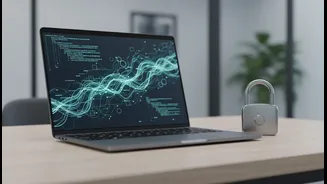
When you run an open-weights model locally, your laptop becomes a self-contained AI powerhouse. Every request, from summarising a PDF to asking for study questions based on your lecture notes, is handled directly by your computer's processor. Your data remains your own, completely shielded from third-party access, corporate data mining, or server-side vulnerabilities. For a student, this is a game-changer. It means you can use AI to work with confidential research data, personal journal entries, or early drafts of creative work without fear of it being read, copied, or leaked by an outside entity. It offers the benefits of AI assistance with the robust privacy of working on an offline document.
Getting Started Is Easier Than You Think
The idea of running an AI on your laptop might sound technically daunting, but user-friendly tools have made it surprisingly accessible. Applications like LM Studio and Ollama provide simple graphical interfaces or command-line tools that let you download and run a variety of open-weights models with just a few clicks. You don't need to be a programmer to use them. While you do need a reasonably modern computer, the requirements are not as extreme as they once were. Many recent laptops, especially those with 16GB of RAM or more and a dedicated graphics card (GPU) or Apple's M-series chips, are capable of running powerful and useful local models. These tools often show you exactly which models your machine can handle, removing the guesswork.
Weighing the Practical Trade-Offs
Opting for local AI does involve some trade-offs. The most powerful, cutting-edge models are often still exclusive to large, cloud-based providers. Local models might be slightly less capable, though they are improving at a staggering pace. Running these models can also be resource-intensive, consuming more battery and potentially slowing down your computer during use. However, for many students, these are minor drawbacks compared to the immense benefit of guaranteed data privacy. The ability to have complete ownership and control over your own thoughts and academic work is a powerful form of digital sovereignty that cloud-based services simply cannot promise.