




Why Speaking Is Your New Productivity Superpower
The core advantage of using your voice is speed. Most professionals speak significantly faster than they type, with average speaking speeds around 120-160 words per minute compared to a typing speed of 40-50. This means you can capture a complex thought
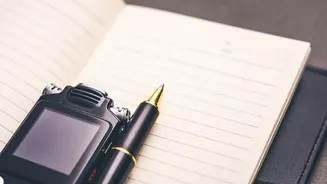
in a fraction of the time it would take to type it out on a tiny smartphone keyboard. This isn't just about speed; it's about reducing friction. The act of finding a notes app, creating a new note, and typing can be just enough of a barrier to let a fleeting idea slip away. Speaking an idea into a recording app is more natural and immediate, making you far more likely to capture it in the moment. This method is perfect for managers who need to document thoughts between meetings, entrepreneurs drafting plans on the go, or any professional who thinks better by talking.
Choosing the Right Voice-to-Text Tool
The market for voice-to-text apps has grown, but the best tool is one that fits into your existing workflow. Your phone's built-in tools, like Apple Notes with its voice memo function or Google Assistant, are excellent starting points. For more advanced needs, dedicated apps offer superior features. Look for tools with high transcription accuracy, the ability to handle background noise, and, most importantly, integration capabilities. Services like Otter.ai, Voicenote.ai, and Scripter are designed for professionals, offering features like real-time transcription and automatic summaries. The key is to find an app that can connect with your other productivity systems, such as your project management board or digital notebook.
Mastering the Art of Idea Capture
Simply recording your voice is only half the battle. To make your voice notes useful, you need a system. Start by speaking clearly. While modern AI has improved transcription, clarity still matters. A helpful habit is to start each note with a keyword or project name, such as "Marketing Campaign Idea:" or "Q4 Report Note:". This makes your transcribed notes searchable later on. Don't overthink it; capture your thoughts in a natural, conversational way. The goal is to get the idea out of your head and into a trusted system without judgment. Some users find it helpful to use specific phrases like "Action item:" to make it easier for AI tools or themselves to pull out tasks later.
From Raw Idea to Actionable Task
A folder full of transcribed voice notes is just as overwhelming as a pile of paper notes. The crucial next step is processing. This is where integration becomes vital. Many professionals create automated workflows using tools like Zapier or by using apps with native integrations. For instance, you can set up a system where a voice note recorded on your phone is automatically transcribed and sent to an 'Inbox' in a tool like Notion, Asana, or Trello. This creates a single place where all your captured ideas land, ready for review. Schedule a recurring time, perhaps 15 minutes each morning or at the end of the day, to process this inbox. During this review, you can refine the AI-generated text, add context, and convert the raw idea into a concrete task assigned to the relevant project.
Building a Consistent Habit
Integrating voice capture into your daily routine is the final piece of the puzzle. Start small. For the first week, commit to capturing just one idea per day using your chosen app. The goal is to build the muscle memory of reaching for your phone to record, not to type. Once the habit is established, the system becomes second nature. Many professionals find that this practice not only ensures no idea is lost but also frees up mental space. By externalizing your thoughts, you reduce the cognitive load of trying to remember everything. This allows you to stay more present and focused on the task at hand, confident that your spontaneous moments of genius are safely stored and waiting to be acted upon.