






Let There Be (the Right) Light
The flat, diffused light of an overcast day can strain your eyes and negatively impact your mood. The key is to fight back with layered, quality lighting. Start with your primary source, which should be bright and positioned to illuminate your whole space.
Cool-white or daylight LED bulbs, typically in the 4000K to 5000K range, are excellent for mimicking natural light and promoting alertness. Next, add task lighting. A good, adjustable LED desk lamp allows you to direct a focused beam of light onto your physical documents or keyboard, reducing the need for your eyes to constantly adjust between a bright screen and a dim desk. For an extra boost, especially on persistently gloomy days, consider a dedicated light therapy lamp, which can help regulate your body clock and improve mood. Dimmable lights also offer the flexibility to adjust the intensity as the outdoor light changes throughout the day.
Create a Breath of Fresh Air
A stuffy room can make you feel drowsy and unfocused, a feeling that's often amplified by dreary weather. Improving air circulation is a simple but powerful way to enhance cognitive performance. Studies have shown that poor ventilation leads to higher levels of carbon dioxide, which can impair concentration and decision-making. The easiest solution is to open a window for a few minutes every hour to invite fresh air in. If that’s not practical, a small, quiet fan can keep the air moving, preventing the stale feeling from setting in. Even a few well-placed houseplants can contribute to better indoor air quality. Beyond just air, staying hydrated is crucial; proper hydration helps keep your respiratory tract moist, which supports clearer breathing and, in turn, better focus.
Win the War on Screen Glare
You might think glare is only a problem on sunny days, but the broad, scattered light of an overcast sky can create significant reflections on your monitor. This veiling glare washes out contrast and forces you to squint, leading to eye strain and headaches. The first line of defense is proper monitor placement. Position your screen at a 90-degree angle to any large windows. If you can't rearrange your desk, consider an anti-glare screen filter, which uses a matte surface to diffuse reflections. Tilting your monitor slightly downward can also help deflect light from overhead sources. Finally, don't forget to adjust your screen’s settings. While dark mode can be easier on the eyes at night, a light theme with high-contrast text is often more readable in a bright or diffusely lit room.
Fine-Tune Your Ergonomics
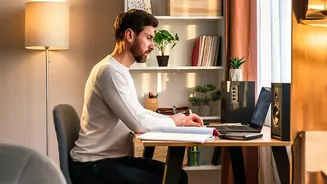
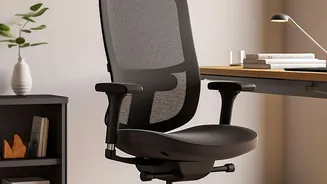
When you feel sluggish on a grey day, poor posture can make it even harder to stay engaged. Ensure your workspace supports a neutral posture to avoid physical strain. Your monitor should be about an arm's length away, with the top third of the screen at eye level. Keep your feet flat on the floor, your back supported by your chair, and your elbows bent at roughly 90 degrees with your wrists straight. It’s also important to give your eyes a regular break. Follow the 20-20-20 rule: every 20 minutes, look at something 20 feet away for 20 seconds to reduce eye fatigue. Taking short, frequent breaks to stretch and move around also helps combat the stationary posture that can drain your energy.