







The AI-to-Workflow Bottleneck
For years, a persistent gap has existed between AI-generated content and professional creative workflows. Generative AI can produce stunning visuals in seconds, but these images are typically delivered as flattened files like a PNG or JPG. This means
that if a designer wants to change a single word of text, move an object, or adjust a background color, they often have to go back to the original prompt and regenerate the entire image, a process that can be time-consuming and unpredictable. This “dead end” nature of AI output has been a major hurdle, preventing AI from being a truly seamless part of the design process and forcing creators to choose between the 80% solution or starting over.
How Magic Layers Bridges the Gap
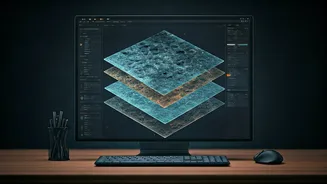
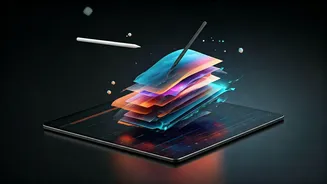
Canva’s Magic Layers, which entered public beta in March 2026, is designed to dismantle this bottleneck. Instead of treating a flat image as a final product, the tool uses AI to deconstruct it. Powered by Canva's proprietary Design Model, it intelligently analyzes an image and separates it into its constituent parts. Text is recognized and converted back into live, editable text boxes. Objects, people, and other visual components are isolated as individual elements that can be moved, resized, or replaced. The background is preserved as its own distinct layer. The tool works not just on AI-generated images but on any compatible flat image file, essentially reverse-engineering it into a structured, multi-layered design right inside the Canva editor.
A Game-Changer for Creative Control
The implications for creative professionals are significant. What was once a static endpoint now becomes a flexible starting point. Marketing teams can refresh campaign visuals by swapping out text or product shots without rebuilding the entire design. A social media manager can take a single AI-generated infographic and quickly create variants for different platforms by adjusting the layout and text layers. Even legacy designs saved as flat images can be resurrected and updated with ease. This fundamentally changes the workflow from one of regeneration to one of refinement. By giving users granular control over individual elements, Magic Layers allows for the final 20% of tweaking that is often crucial for brand alignment and creative precision.
Technical Details and Limitations
Magic Layers is built on the Canva Design Model, a foundation model specifically trained to understand design structure rather than just generate images. During its beta, the feature works with single-page PNG and JPG files and is available to Canva users in the US, UK, Canada, and Australia, with a global rollout planned. While powerful, it has its limitations. The tool works best with graphic designs, illustrations, and stylized visuals where elements are distinct. It may struggle with highly complex or photorealistic images, where the boundaries between objects are less clear. Despite this, it represents a major step forward in making AI a more practical and collaborative partner in the design world.