





The Modern Study Dilemma
The problem is a familiar one for students everywhere: you diligently record your lectures, creating a valuable archive of course material. But when it comes time to study for exams, you face the daunting task of re-watching hours of video or audio. This
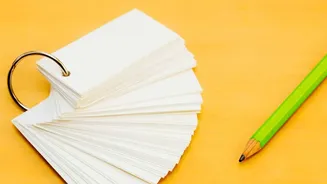
passive review is not only time-consuming but also one of the least effective ways to retain information. The real key to learning is active recall—the process of actively retrieving information from memory. Flashcards are a scientifically proven tool for this, forcing you to recall answers before seeing them. The main barrier has always been the tedious, manual effort required to create them. This is where artificial intelligence changes the game, automating the entire process from lecture to study deck.
Step 1: From Spoken Words to Text
The first and most critical step is to get an accurate text transcript of your lecture. The quality of your flashcards will depend entirely on the quality of this source material. Many modern AI-powered tools are designed for this specific purpose. Services like Otter.ai can transcribe lectures in real-time as you record them in class. Other platforms are designed to process audio or video files you've already saved. For online classes hosted on platforms like Zoom or Google Meet, tools such as Tactiq can generate a transcript from the live captions. Even if your professor provides lecture slides, pairing them with a transcript of the spoken lecture captures details, examples, and nuances that aren't on the slides themselves. Before moving on, quickly scan the transcript for any obvious errors in key terms or names.
Step 2: Choose Your AI Flashcard Generator
With a clean transcript in hand, you can now use an AI tool to generate the flashcards. There are two main approaches. The first involves using a dedicated AI study tool. Platforms like NoteHive AI, StudyGlen, and others are built to take your lecture recordings or notes and automatically produce flashcards and summaries. Many of these tools integrate transcription and flashcard generation into a single, seamless workflow. The second approach is to use a general-purpose large language model like ChatGPT. You can paste your transcript directly into the chat interface and provide a specific prompt asking it to create question-and-answer pairs based on the text. While this requires an extra step, it offers significant flexibility in how you structure the final output.
Step 3: Craft the Perfect Prompt
The instructions you give the AI, known as the prompt, will determine the quality and format of your flashcards. Don't just ask it to "make flashcards." Be specific to get the best results. A powerful prompt might be: "Act as a university study assistant. Read the following lecture transcript and generate 20 flashcards in a 'Question:' and 'Answer:' format. The questions should test specific definitions, key concepts, and important processes mentioned in the text. Ensure the answers are concise." You can also ask the AI to focus on certain topics or to provide a mix of question types. The goal is to create cards that test discrete pieces of information rather than broad, open-ended questions.
Step 4: Review, Refine, and Print
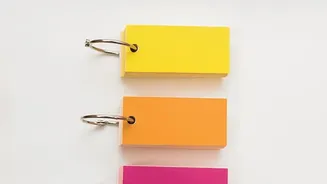
AI is a powerful assistant, but it's not infallible. The final step is a crucial human review. Read through the generated flashcards to check for accuracy and clarity. The AI might misinterpret a nuanced point or create a card that is too vague. This is your chance to edit the questions and answers, delete irrelevant cards, and add any key concepts the AI may have missed. Once you are satisfied with your deck, you can format the text for printing. Most word processors have templates available for printable flashcards, or you can simply copy and paste the question-answer pairs into a table with clear formatting. Some AI study tools also offer direct export options to popular spaced-repetition apps like Anki, giving you a digital-first study option.