







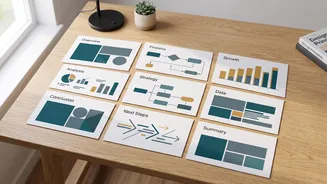
The Universal Design Struggle
For many students, the hardest part of a presentation isn't the research or the script; it's making the slide deck look good. They spend hours wrestling with inconsistent fonts, clashing colour schemes, and finding the right images. Even tech-savvy students can
find presentation software difficult to master for creating a truly professional-looking output. Common issues include slides with too much text, poor data visualization, and distracting animations. Many students simply haven't been taught the principles of good design, leading them to create cluttered or unreadable slides that detract from their well-researched content. This design phase can become a major time sink, adding stress and taking focus away from the core message.
How AI Plugins Change the Game
AI presentation makers automate the most painful parts of slide design. Tools like Gamma, Beautiful.ai, and integrated plugins like Microsoft Copilot and Google's Gemini in Slides can turn a simple text prompt or document into a fully structured and designed presentation in minutes. These platforms generate layouts, suggest visuals, and ensure brand or style consistency across the entire deck. Instead of starting with a blank canvas, a student can provide an outline and let the AI handle the initial heavy lifting of formatting, allowing them to focus on refining the content. This significantly speeds up the creation process, with some students reporting time savings of 50-70%.
Putting Content and Confidence First
The most significant benefit is that these tools empower students to be judged on the quality of their ideas, not their design skills. By removing the barrier of visual design, students who are not naturally artistic can present their work in a clean, professional format that gives their content the platform it deserves. This levels the playing field, ensuring that a brilliant argument isn't overlooked because of a poorly designed deck. Furthermore, presenting with a visually appealing and coherent set of slides can significantly boost a student's confidence. Knowing their presentation looks professional allows them to focus on their delivery and engaging with the audience, rather than worrying about the legibility of their slides.
More Than a Shortcut, It's an Accessibility Tool
While some might view AI presentation makers as a mere shortcut, they can also be seen as powerful accessibility tools. They help democratize the principles of good design, making them available to everyone, regardless of their innate abilities. For students who struggle with visual organization or the technical complexities of software, these plugins provide crucial support. Educators are also finding that these tools can enhance engagement by creating more dynamic and interactive presentations. The technology allows for the creation of engaging visuals, polls, and quizzes that can be tailored to different learning preferences, promoting a more inclusive classroom environment.
The Responsible Use Debate
Of course, the rise of AI in education comes with valid concerns. Critics argue that over-reliance on these tools could stifle creative thinking or lead to academic dishonesty. Some worry that it bypasses the development of critical skills and may even be used to generate the content itself, not just the design. However, proponents argue that AI literacy is becoming an essential real-world skill, and learning to use these tools responsibly is part of a modern education. The key is to use AI as an assistant to enhance work, not as a replacement for original thought and effort. Ultimately, the responsibility lies with the student to use the tool ethically, focusing its power on presentation and clarity rather than cheating.