





Why Your Room Light Fails on Grey Days
During bright, sunny days, ambient light from a window can be sufficient. But when the sky is a blanket of grey, that natural light becomes weak and diffuse. Your standard overhead ceiling fixture, designed to provide general illumination, creates shadows
and fails to adequately light your specific work area. This forces your eyes to work harder, constantly adjusting between a bright screen and a dim desk surface, leading to eye strain, headaches, and a noticeable dip in focus and energy. Relying on it is like trying to read a book using only a distant streetlamp – possible, but far from ideal.
Decoding the Language of Light
Choosing a lamp can feel technical, but understanding two key terms makes it simple. First, look at 'lumens,' which measure brightness. For focused tasks like reading and writing, a lamp providing 500-800 lumens is generally recommended. Second is 'colour temperature,' measured in Kelvin (K). A cool, white light (around 4000K-5000K) mimics daylight and is excellent for boosting alertness and concentration during work hours. A warmer, yellowish light (around 3000K) is more relaxing and better for winding down in the evening. Many modern LED lamps offer adjustable settings for both, giving you complete control.
Choosing Your Lighting Champion
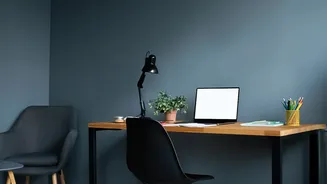
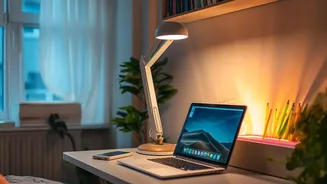
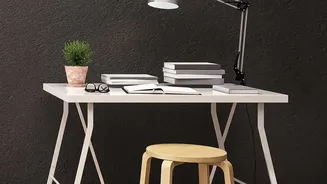
Your main weapon against the gloom is dedicated task lighting. You have a few great options. The classic adjustable-arm desk lamp is a versatile choice, allowing you to direct light exactly where it's needed. For those with limited desk space, a monitor light bar is a game-changer. It sits atop your screen, illuminating your keyboard and desk area without causing screen glare or taking up precious real estate. Another option is a slim floor lamp with an adjustable head, which can be positioned beside your desk to cast light over your shoulder onto your work surface, providing excellent, broad illumination.
The Art of Perfect Placement
Simply buying a lamp isn't enough; where you put it is crucial for avoiding new problems like glare. Glare occurs when light reflects off your screen directly into your eyes, causing discomfort. To prevent this, position your task light to the side of your computer screen, not behind or directly in front of it. The light source should illuminate your documents and keyboard without shining on the monitor. A good rule of thumb is to place the lamp about 16-24 inches above your desk surface, angled so that the light falls on your work area without creating distracting reflections.
More Than Just Seeing Clearly
The benefits of proper task lighting go far beyond simply preventing eye strain. A well-lit workspace has a significant psychological impact. It can elevate your mood, create a more positive atmosphere, and enhance your sense of professionalism and control over your environment. Studies have shown a direct link between good lighting and improved concentration, reduced errors, and higher overall productivity. By investing in a simple task light, you are not just brightening your desk; you are actively creating an environment that supports focus, efficiency, and well-being, even when the weather outside is doing its best to bring you down.