





The Foundation: Perfect Your Seating
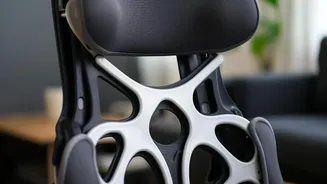
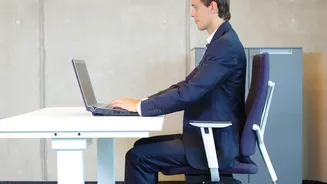
Before you worry about your screen, start with your chair. The goal is to support the natural curve of your spine. Adjust your chair height so your feet are flat on the floor and your knees are level with or slightly below your hips, forming a 90-degree
angle. Your back should be flush against the chair. If your chair lacks built-in lumbar support, place a rolled-up towel or a small cushion in the small of your back to maintain a healthy S-shape in your spine. Your elbows should also rest at a comfortable 90-degree angle, with your shoulders relaxed, not hunched. Avoid crossing your legs, as this can create an imbalance in your hips and lower back.
Eye-Level is Key: Position Your Monitor
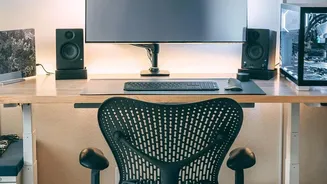
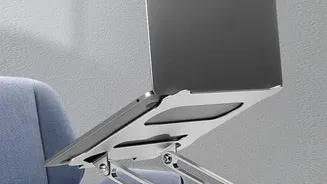
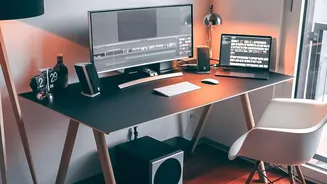
Hunching over a laptop is a primary cause of neck and shoulder strain. To correct this, your monitor needs to be positioned correctly. The rule of thumb is to place the top of your screen at or slightly below your eye level. This ensures your head remains balanced over your shoulders instead of craning forward. Your monitor should be placed directly in front of you, about an arm's length away. This distance prevents eye strain and stops you from leaning in. If you use a laptop, this will almost certainly mean you need to raise it. You don't need a fancy stand; a stable stack of books or a small box will do the job perfectly. Just be sure to use an external keyboard and mouse so your arms can remain in a neutral position.
Keep Wrists Happy: Keyboard and Mouse Placement
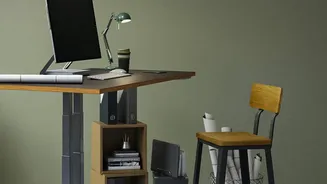
Repetitive strain injuries like carpal tunnel syndrome are a real risk for desk workers. Proper keyboard and mouse placement can significantly reduce this danger. Your keyboard and mouse should be on the same level and close enough to you that you can use them with relaxed shoulders and elbows bent at roughly 90 degrees. Your wrists should be straight, not angled up or down, when you type. Many desks are actually too high for most people, forcing them to raise their shoulders or angle their wrists. If your desk is too high, try raising your chair and using a footrest to keep your feet flat and your knees at the correct angle.
Motion is Medicine: The Importance of Breaks
Even the most perfectly ergonomic setup cannot protect you from the negative effects of sitting for eight hours straight. Your body is designed to move. Set a reminder to get up, stretch, and walk around for a few minutes at least once every hour. Simple movements can make a huge difference. Try standing up and gently arching your back to counteract the forward hunch of sitting. Look away from your screen every 20 minutes to focus on an object in the distance for 20 seconds to give your eyes a rest. Taking a short walk, refilling your water bottle, or just doing a few shoulder rolls can decompress your spine, improve circulation, and keep stiffness at bay.