





Verify the Recipient's Name Before You Pay
This is the simplest yet most crucial check. When you enter a UPI ID or scan a QR code, the app will display the legal name of the account holder before you proceed to the PIN page. Always pause and confirm this name. If you're paying a shop, it should
show the registered business name. If paying an individual, check that the name matches who you intend to pay. Scammers often use UPI IDs that look similar to legitimate ones, and this simple verification step can prevent you from sending money to the wrong person. Never rely on a screenshot from the other party as proof; always trust the name displayed in your own app.
Remember the Golden Rule: No PIN to Receive Money
Your UPI PIN is a four or six-digit number used only for one purpose: to authorise money leaving your account. You never, under any circumstances, need to enter your PIN to receive money. This is the single biggest fact that fraudsters exploit. They will send a payment request and disguise it as a refund, cashback offer, or prize, telling you to enter your PIN to claim the funds. If you do, you are not receiving money; you are sending it. If a screen asks for your PIN, it is always for a debit transaction.
Be Sceptical of Unknown QR Codes
A QR code is just a quick way to initiate a payment. You should only scan codes from trusted sources. Fraudsters often send QR codes via WhatsApp or email, claiming you need to scan them to receive money or get a special offer. In reality, scanning these malicious codes will set up a payment from your account to theirs. Another common tactic involves fraudsters placing their own QR code sticker over a genuine one at a physical shop or fuel pump. Before scanning, check for any signs of tampering or if a sticker has been pasted over the original code.
Decline Unsolicited Payment Requests
All major UPI apps have a 'Request Money' or 'Collect' feature. Scammers abuse this by sending you a request, hoping you'll approve it in a hurry without reading carefully. They might call you with an urgent story, pretending to be a buyer for an item you're selling online, and send a request, claiming it's how they are paying you. Always read the pop-up on your screen carefully. A legitimate payment will show as a credit in your transaction history, whereas a request will explicitly ask you to 'Pay' or 'Decline'. If you don't know the sender, always decline.
Secure Your Phone and Your UPI App
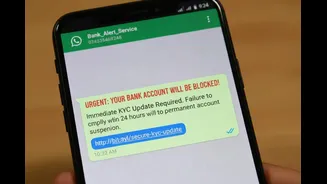
Your smartphone is now directly linked to your bank account, so treat it with the same security as a debit card. Use a strong screen lock (like a passcode, fingerprint, or face ID) on your phone. Furthermore, enable the app lock feature within your UPI apps for an extra layer of security. Never share your phone with strangers or download apps from unknown sources or links sent via SMS. Fraudsters can trick you into installing screen-sharing apps to see your PIN or control your device remotely to authorise transactions.
Never Trust Customer Care Numbers From a Web Search
If you face a failed transaction or any other issue, do not search for your bank's or UPI app's customer care number on Google. Fraudsters place fake helpline numbers in search results and on social media to trap users. When you call, they will pose as support executives and ask for your PIN, OTP, or ask you to install a remote access app to 'resolve' the issue. Always find the official customer support number within the UPI app's help section or on your bank's official website. It is also wise to save the National Cyber Crime Helpline number, 1930, on your phone.