






Master Your Phone's Built-In Settings
Before you download a single app, explore the powerful tools already on your phone. Both Android and iOS have features designed to help you disconnect. Use 'Digital Wellbeing' (Android) or 'Screen Time' (iOS) to set timers for distracting apps, which
can prevent endless scrolling before bed. Schedule 'Bedtime Mode' or 'Wind Down' to automatically turn your screen to grayscale, silence notifications, and enable 'Do Not Disturb' at a set time. This shift to a monochrome display can make your screen less engaging. Also, enable the 'Eye Comfort Shield' or 'Night Shift' feature, which warms the screen's colour temperature. While studies are mixed on whether blue light filter apps significantly improve sleep on their own, reducing exposure to stimulating bright, blue-toned light in the hours before bed is a widely recommended practice.
Find Calm with Meditation and Sound Apps
If a racing mind keeps you awake, a mindfulness or meditation app can be a game-changer. These apps are designed to help you relax and de-stress before bed. Apps like Calm and Headspace offer vast libraries of guided meditations, soothing music, and 'Sleep Stories'—bedtime tales for adults narrated by calming voices. Many users find these narrated stories or soundscapes help them drift off by giving their minds a gentle, non-stimulating focus. Other highly-rated options include Insight Timer, which provides a massive free library of meditations, and UCLA Mindful. The goal is to replace anxious thoughts with guided breathing exercises, relaxing sounds, or a quiet story, creating a peaceful transition into sleep.
Use Sleep Trackers for Insight, Not Anxiety
Sleep tracking apps can offer valuable insights into your nightly patterns, such as when you fall asleep, how often you wake, and your estimated sleep stages. Popular apps like Sleep Cycle use your phone's microphone and accelerometer to monitor movement and sound. Many also feature a smart alarm that aims to wake you during a light sleep phase, which can help you feel more refreshed. However, the key is to use this data as a guide, not a source of stress. The information can help you spot patterns, like how a late-night coffee or a stressful day affects your rest. Think of it as a tool for awareness that empowers you to make better daytime choices for a better night's sleep.
Create a Digital Wind-Down Routine
The problem often isn't the phone itself, but how we use it. Instead of scrolling through stimulating social media or news feeds, repurpose your screen time for relaxation. This could mean listening to a calming podcast, an audiobook, or creating a playlist of gentle music. Some people use white noise apps like MyNoise to mask disruptive sounds in their environment. The idea is to swap high-stimulation activities for low-stimulation ones at least an hour before you plan to sleep. This helps signal to your brain that it's time to slow down, making it easier to fall asleep when your head finally hits the pillow.
Establish Firm Phone-Free Boundaries
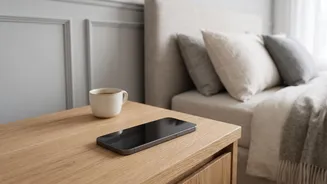
Ultimately, the most effective tool is a set of clear boundaries. One of the best habits you can form is to create a charging station for your phone across the room, not on your nightstand. This simple act accomplishes two things: it removes the temptation to check your phone if you wake up during the night, and it forces you to physically get out of bed to turn off your alarm in the morning. Another powerful rule is to establish a hard cut-off time, such as putting your phone away for the night at least 30 to 60 minutes before bedtime. This phone-free buffer period allows your mind to unwind without digital stimulation, which is a crucial step for achieving deep, restorative sleep.