









What Is NotebookLM, Exactly?
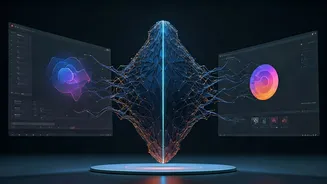
Think of NotebookLM not as another all-knowing chatbot, but as a personal research assistant that has only read the documents you provide. Initially launched as an experimental project, it has evolved into a powerful tool built on Google's Gemini AI model.
Its core purpose is to help you understand and synthesize large amounts of information you've already gathered. Unlike general AI that scours the entire internet, NotebookLM works exclusively within your uploaded sources—be they PDFs, Google Docs, web links, or even video transcripts. This 'source-grounded' approach is its defining feature, designed to dramatically reduce the risk of AI 'hallucinations' or fabricated information. You are in control of the knowledge base, ensuring the answers it provides are directly tied to your specific material.
Your Sources Are the Star
The magic of NotebookLM begins when you upload your materials. You can create different 'notebooks' for various projects, each serving as a contained workspace. The free version allows up to 50 sources per notebook, with each source being as large as 500,000 words. This could include academic papers for a thesis, financial reports for market analysis, or interview transcripts for an article. Once your sources are loaded, you can ask questions in a natural, conversational way. For every answer, NotebookLM provides citations that link directly back to the exact passages in your source documents, allowing for quick verification. This traceability builds a level of trust and precision often missing in other AI interactions, helping you prioritize which materials need a closer read.
From Text to Interactive Content
Where NotebookLM truly begins to feel like a next-generation tool is in its ability to transform your static documents into dynamic formats. The 'Studio' panel offers a suite of one-click generation tools. Perhaps the most famous is the 'Audio Overview,' which creates a surprisingly natural-sounding podcast-style discussion between two AI hosts about your source materials. This feature is perfect for reviewing research during a commute. But it doesn't stop there. The tool can also generate slide decks (exportable to PPTX), infographics from a variety of style templates, mind maps to visualize connections, video summaries, and even study aids like flashcards and quizzes. Recent updates have even introduced features like 'Deep Research,' which can help you find new sources from the web to add to your notebook, tackling the 'blank page' problem.
A Tool for Thinking, Not a Replacement
Despite its power, NotebookLM has its limitations. Some users find the source limits per notebook restrictive for massive projects. Furthermore, it is not a note-taking app in the traditional sense, but rather a tool to enhance how you use your notes and research. The most important thing to remember is that the quality of its output is entirely dependent on the quality of the sources you provide. It's a tool designed to amplify human intellect, not replace it. The true value comes from a collaborative process: your critical thinking and curation of sources combined with the AI's speed in synthesis and analysis. It excels at connecting ideas across dozens of documents, finding patterns you might have missed, and helping you formulate more insightful questions.