








Understanding the Package Visa
Launched in July 2026, the Saudi Package Visa is a pilot program designed to streamline the travel process for tourists. Instead of making separate arrangements, eligible travelers can book their round-trip flights, approved hotel stays, and obtain their electronic
tourist visa all at once through a single, approved travel provider. This initiative, a part of the Kingdom's Vision 2030, simplifies entry for visitors from several countries, including India, Pakistan, Egypt, and Indonesia, among others. The visa is issued electronically, often within 48 hours of purchasing the package, eliminating the need to visit an embassy. While convenient, this digital-first process means your crucial entry document will likely arrive in a digital format, closely tied to the provider you booked with.
The Dangers of Relying Only on an App
Imagine this: you've just landed after a long flight, you're waiting in the immigration line, and your phone battery dies. Or perhaps the airport's Wi-Fi is down, and you can't access the booking app where your visa confirmation is stored. These are common travel scenarios that can turn a smooth arrival into a stressful ordeal. Relying on a single digital source for a document as critical as a visa is a significant risk. Phones can be lost, stolen, or damaged; apps can crash or have bugs; and mobile data can be expensive or unavailable. Immigration officials require clear proof of your visa status, and being unable to produce it immediately can cause serious delays. That is why having independent, accessible copies is not just a good idea—it is essential.
Step 1: Download the Official Document
Your first step is to get the visa document out of the proprietary ecosystem of the booking platform. When you receive your visa confirmation, it will typically be an electronic document, such as a PDF. Look for a 'Download' or 'Save' button within the app or in the confirmation email you receive from the travel provider. The official e-visa usually contains your personal details, a visa number, and a QR code. Download this file directly to your phone's local storage—not just within the app's offline cache. This ensures the file is accessible even if you delete the app or can't log in. The official visa is typically sent to your registered email address, so be sure to check there as well.
Step 2: Print Multiple Physical Copies
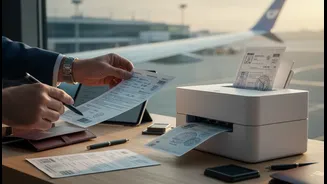
Technology can fail, but paper is reliable. It is strongly recommended that you print a physical copy of your e-visa. In fact, print at least two or three copies. Keep one with your passport, pack another in your carry-on luggage, and place a third in your checked suitcase. This redundancy ensures that even if one bag is lost or you misplace the copy in your pocket, you have backups. When presenting documents at immigration, a clear printed copy is universally accepted and can be processed quickly by officials, who may need to stamp it or scan its QR code. Don't wait until the last minute to print; do it as soon as you receive the electronic approval.
Step 3: Create Digital Backups in the Cloud
For an extra layer of digital security, save your visa document to a personal cloud storage service. Platforms like Google Drive, Dropbox, or Microsoft OneDrive are excellent options. Once uploaded, you can access the file from any device with an internet connection. More importantly, most of these services allow you to mark specific files for 'offline access' on your smartphone. Take a moment to enable this feature for your visa PDF. This creates a version of the file that is stored directly on your device, accessible without needing a Wi-Fi or cellular signal. As a final, simple backup, email the PDF to yourself and a trusted family member or friend. This way, if you lose your phone, you can still access your email from another device to retrieve the document.