







The Rise of 'Quishing'
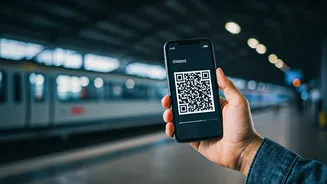
The convenience of QR codes is undeniable. They are on our boarding passes, at restaurant tables, and on public transport payment points. We've grown accustomed to scanning them without a second thought. However, this trust is being exploited by cybercriminals
through a tactic known as 'quishing' — a combination of 'QR code' and 'phishing'. A QR code is simply a gateway to a web link, and scammers have become experts at ensuring that link leads to a malicious destination. They create fake codes that, once scanned, can direct you to fraudulent websites designed to steal your money, login credentials, or personal data. The scam is effective precisely because it turns a familiar, trusted action into an attack.
Common Scams Targeting Travellers
When you're in an unfamiliar city, you're more likely to rely on visual cues and be in a hurry, which is exactly what scammers count on. One of the most common scams involves placing fake QR code stickers over legitimate ones on parking meters, e-bike docks, or public transport kiosks. An unsuspecting tourist scans the code to pay for a service, enters their credit card details on a convincing-looking payment page, and sends their financial information directly to a criminal. Another frequent trap is a fake QR code on a restaurant menu that leads to a site that harvests data or tries to install malware. You might also encounter messages claiming a package delivery failed or a booking needs urgent confirmation, using a QR code to create a sense of urgency that bypasses critical thinking.
How to Spot a Suspicious QR Code
You don't need to be a tech expert to protect yourself, just a little more observant. The most important physical check is for tampering. Before you scan, look closely at the code. Does it appear to be a sticker placed on top of another one? Are the edges peeling or misaligned? Scammers often just paste their malicious code over the real one. Also, pay attention to the context. A QR code on an official-looking poster with spelling mistakes or poor grammar is a major red flag. If an offer seems too good to be true, like a massive discount for scanning a random code on a flyer, it almost certainly is.
The Golden Rule: Preview the URL
The single most important step you can take happens right after you scan but before you tap to open the link. Most modern smartphone cameras will show you a preview of the website address (URL) the QR code points to. Take a second to read it. Does the domain name match the business you are dealing with? Scammers often use URLs with subtle misspellings (like 'PayPaI' with a capital 'i' instead of an 'l') or long, random strings of characters. If you expect to be paying the city's parking authority but the link is a shortened URL from a service like Bitly or a completely unrelated domain name, close the window immediately. This two-second verification is your best defence.
What to Do If You've Scanned a Bad Code
If you scan a code and realise too late that it might be a scam, acting quickly can limit the damage. If you entered any password or login information, change that password on the real service immediately. If you submitted credit card details, contact your bank or card issuer right away and explain the situation. They can block the card and monitor for fraudulent transactions. Many Indian banks have dedicated fraud reporting hotlines. It's also wise to run an anti-malware scan on your phone. Disconnect from any Wi-Fi network you might have joined through the QR code and delete any files it may have prompted you to download. Finally, report the incident to local authorities if possible and alert the business where you found the fake code so they can remove it.