





Go Waterproof Before You Go
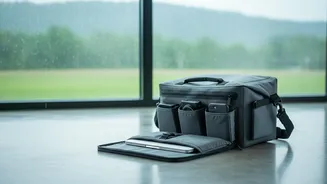
The best defence is a good offence. Before you even step out, invest in protective gear. A high-quality waterproof phone case or pouch is non-negotiable. For larger items like laptops and cameras, a dedicated dry bag or a backpack with a built-in rain
cover is essential. Even simple Ziploc bags can be lifesavers for smaller items like chargers, power banks, and wallets, offering a reliable seal against unexpected downpours. Think of it as purchasing a raincoat for your electronics; it's a small investment that prevents a much larger, more expensive problem.
Beware the Silent Threat of Humidity
Rain is an obvious enemy, but humidity is a silent one that can cause just as much damage through condensation and corrosion. When moving from a cool, air-conditioned hotel room to the warm, humid outdoors, condensation can form inside your devices, especially cameras and lenses. To prevent this, allow your gadgets to acclimate. Keep them in your camera or laptop bag for 10-15 minutes after stepping outside to let them adjust to the temperature gradually. For extra protection, especially for expensive camera gear, toss a few silica gel packets into your electronics bag. These small packets absorb excess moisture, helping to keep the internal environment of your bag dry.
Charging: Power Up with Caution
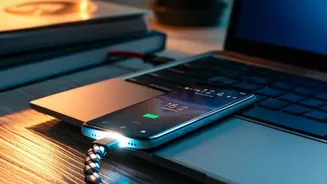
Monsoons often come with thunderstorms and potential power surges, which can be fatal for charging devices. It's safest to avoid charging your electronics directly from a wall socket during a heavy thunderstorm. Instead, rely on a fully charged power bank. A power bank acts as a buffer, protecting your device from the direct impact of electrical fluctuations. Make sure to charge your power bank when the weather is calm. When you do plug anything into a wall, use a good quality surge protector to shield your gadgets from sudden spikes in voltage. It's also wise to never leave devices charging unattended, especially overnight during stormy weather.
Emergency Plan: When a Device Gets Wet
If the worst happens and your phone or camera gets drenched, swift action is crucial. The first and most important step is to power it down immediately. Do not try to turn it on or charge it, as this can cause a short circuit. If possible, remove the battery, SIM card, and any memory cards to open up more avenues for drying. Gently wipe the exterior with a soft, absorbent cloth. Resist the urge to use a hairdryer or put it in direct sunlight, as intense heat can damage internal components. Forget the popular myth of putting it in a bag of uncooked rice, which can introduce dust and starch. Instead, place the device in an airtight container with silica gel packets, which are designed to absorb moisture effectively. Let it sit for at least 24 to 48 hours before attempting to turn it on.
Smart Habits for Everyday Travel
Small, consistent habits make a big difference. Always be mindful of where you place your devices. Avoid setting them down on damp surfaces or near open windows. When you're out exploring, try to keep your most valuable electronics in an inner, protected pocket of your bag. It’s also a great practice to back up your photos and important files to the cloud or an external hard drive before you travel. That way, even if a device is damaged beyond repair, your precious memories and data are not lost forever. Simple precautions like these can significantly reduce the risk of a travel-ruining tech mishap.