





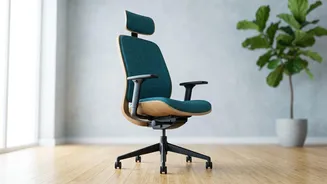
Start From the Ground Up
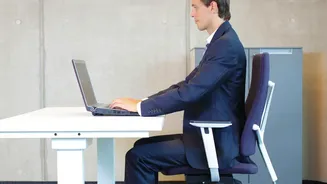
Before you touch any levers on your chair, look at your feet. Your feet should be able to rest flat on the floor. If they are dangling, your chair is too high; if your knees are pointing up towards the ceiling, it's too low. The goal is to have your thighs
parallel to the floor and your knees at a roughly 90-degree angle. If your desk is a fixed height and forces you to raise your chair too high, use a footrest. You don't need a fancy one—a small stool or a sturdy stack of books will do the job perfectly.
Master Your Chair Height
The ideal chair height isn't just about your feet; it's about your relationship to your desk. Your elbows should be bent at a comfortable 90- to 100-degree angle when your hands are on the keyboard. Your shoulders should be relaxed, not hunched up towards your ears. Adjust your chair height so that your arms can rest gently, with your forearms parallel to the floor. Experts suggest a seat height between 16 and 21 inches from the floor is a good range for most people.
Support Your Lower Back
Your lower spine has a natural inward curve, and your chair should support it. Sit back fully in your chair so your bottom is against the backrest. If there's still a gap between your lower back and the chair, you need more lumbar support. Many ergonomic chairs have adjustable lumbar support, which you should position to fit snugly into the curve of your lower back. If your chair lacks this feature, you can easily create your own support by rolling up a small towel and placing it in the gap. This simple trick prevents you from slouching and flattening your spine, which is a major cause of lower back strain.
Check Your Seat Depth
An often-overlooked adjustment is the seat depth. When you are sitting all the way back, there should be a small gap of about two to three fingers' width between the front edge of the chair and the back of your knees. If the seat is too deep, it can press against your knees and affect circulation. If it's too shallow, it won't properly support your thighs. Some chairs have a seat slide adjustment; if yours doesn't, placing a cushion behind your back can effectively shorten the depth.
Position Your Monitor and Keyboard
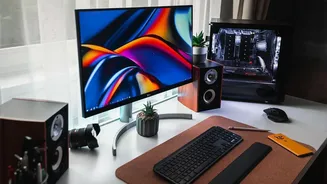
Your setup isn't complete without positioning your screen and keyboard correctly. Your monitor should be placed directly in front of you, about an arm's length away. The top of the screen should be at or slightly below your eye level, so you aren't craning your neck up or tilting your head down. Your keyboard should be directly in front of the monitor, allowing your wrists to stay straight and in line with your forearms while you type. This creates a comfortable working triangle that reduces strain on your neck, shoulders, and wrists.
The Most Important Tweak: Move
Even the most perfect ergonomic setup can't eliminate the risks of sitting still for too long. Prolonged static posture reduces blood flow and puts a sustained load on your spine. The most crucial tweak is to build movement into your day. Stand up, stretch, and walk around for a few minutes every hour. Consider a height-adjustable desk to alternate between sitting and standing, which encourages movement and reduces the load on your lower back. These small breaks are not just good for your body; they can also improve focus and productivity.