



Introducing 'Magic Layers'
The new feature, called Magic Layers, is the result of a powerful integration with the popular design platform Canva. Until now, most AI image generators produced a single, flat image file. If you wanted to change one small detail—the colour of a shirt,
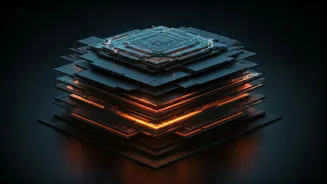
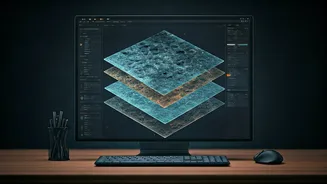
the position of a logo, or the text on a sign—you often had to regenerate the entire image and hope for the best. This process was a common source of frustration for creators, where a nearly perfect image was rendered useless by a minor flaw. Magic Layers solves this problem by deconstructing the AI-generated image into separate, editable components, much like the layers in professional design software like Adobe Photoshop.
From Flat File to Creative Playground
Think of the old method as getting a finished painting that's already been varnished and framed; you can admire it, but you can't easily touch it up. Magic Layers, by contrast, gives you the artist's original canvas, with every element—the background, the main subject, text, and other objects—on its own transparent sheet. You can now move, resize, recolour, or remove individual parts of the image without disturbing the rest of the composition. This transforms the AI-generated image from a final product into a flexible starting point.
How Does It Work in Practice?
The workflow is designed to be seamless. A user generates an image within Gemini using a text prompt, for example, "a poster for a local run club at sunset." Once the image is created, users can prompt Canva's integrated app to process it with Magic Layers. The feature then intelligently identifies and separates the different components of the picture. The image is then opened in Canva as a new project, with the sky, the runners, and any text now on their own individual layers, ready for fine-tuning. This eliminates the cumbersome old process of generating an image in one app, downloading it, and then uploading it to another for editing.
A Game-Changer for Professionals and Amateurs Alike
This upgrade has significant implications for a wide range of users. For marketing professionals and small business owners, it dramatically speeds up the creation of campaign assets. An idea for a social media post can be generated, unlocked with Magic Layers, and quickly adapted with brand-specific colours and text for various platforms like Instagram, LinkedIn, or a presentation slide. For content creators, it allows for quick tweaks and resizing of visuals. For casual users, it simply makes AI image creation more fun and less frustrating, allowing them to perfect their vision without needing to become prompt-engineering experts.
The Bigger Picture: The Race for Generative Control
This integration of Canva's technology into Gemini is part of a broader industry trend. As AI image generation becomes more powerful, the focus is shifting from simply creating impressive visuals to providing users with greater control and utility. Companies like Adobe, with its Firefly model, are also heavily invested in creating seamless workflows between AI generation and professional editing software. The ability to not just generate, but to easily refine and adapt, is becoming the key battleground. By embedding these tools directly into AI assistants like Gemini and ChatGPT, companies are aiming to make creative workflows more conversational and intuitive.