





1. Set Your Chair as the Foundation
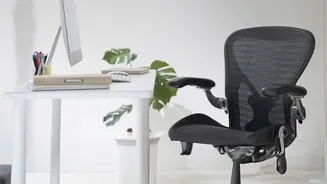
Your chair is the most critical piece of the ergonomic puzzle. Before you worry about anything else, adjust your chair's height. Your feet should rest flat on the floor with your thighs parallel to the ground. Your knees should be at a roughly 90-degree
angle, level with or slightly below your hips. This position creates a stable base and prevents your pelvis from tilting backward, which is a common cause of slouching and lower back strain. If your feet are dangling, it can pull your entire lower back out of alignment. If your chair is too low and your knees are higher than your hips, it can increase pressure on your spine. If you can't adjust your chair height, use a footrest—even a sturdy box or stack of books will do—to ensure your feet are properly supported.
2. Provide Crucial Lumbar Support
Sitting for long hours without proper support for your lower back causes the natural S-shaped curve of your spine to flatten into a C-shape, straining muscles and spinal discs. An ergonomic chair should have built-in, adjustable lumbar support. The goal is to fill the gap between your lower back and the chair, maintaining the spine's natural inward curve. If your chair lacks this feature, you can easily create your own support. A rolled-up towel or a small cushion placed in the small of your back can be incredibly effective. This simple fix helps reduce muscle fatigue and prevents you from slouching forward as the day wears on.
3. Position Your Monitor at Eye Level
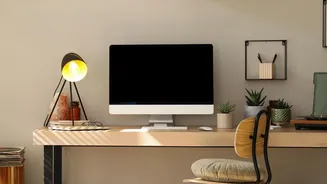
Constantly looking down at a laptop or a low monitor is a primary cause of both neck and back pain. This forward head posture, often called "tech neck," forces the upper back to round and puts significant strain on your entire spine. Position your monitor so that the top of the screen is at or just slightly below your eye level. Your screen should also be about an arm's length away from you. If you work on a laptop, this is nearly impossible without help. Use a laptop stand or a stack of books to elevate the screen to the correct height. You will likely need a separate keyboard and mouse to maintain proper arm and wrist posture.
4. Align Your Keyboard and Mouse
Your desk setup should allow your arms to rest comfortably. When typing, your elbows should be at a 90-degree angle, and your forearms should be parallel to the floor. This keeps your shoulders relaxed. If your desk is too high, you'll shrug your shoulders, creating tension. If it's too low, you'll hunch over. Your keyboard and mouse should be close enough that you can use them without reaching, keeping your wrists straight and in a neutral position. Avoid resting your chin in your hand or crossing your legs, as these habits can cause uneven stress on your lower back and twist your spine.
5. Make Movement a Non-Negotiable Habit
Even the most perfect ergonomic setup cannot protect you from the negative effects of being static for too long. Sitting for extended periods tightens muscles, reduces circulation, and increases stiffness. Health experts recommend standing up and moving for a few minutes at least once every hour. Set a timer to remind yourself. Walk around the room, do some simple stretches, or just stand up while on a phone call. Incorporating gentle movements like shoulder shrugs, seated spinal twists, or a standing back extension can relieve tension and get your blood flowing. This regular movement is just as important as your initial setup for preventing daily pain.