







The Brain Dump Dilemma
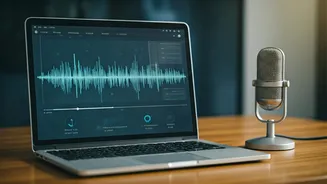
Inspiration rarely strikes when you’re sitting neatly at your desk. It hits you on a walk, in the car, or while making your morning chai. The voice memo app on your phone has become the default capture tool for these fleeting thoughts. You hit record,
ramble for three minutes about a new project idea, list off tasks for your team, and set a few tentative deadlines. The idea is saved, but it’s messy. Later, you face the tedious task of re-listening to your own unstructured monologue, manually typing out key points, and trying to decipher what you actually meant. This manual process is time-consuming, inefficient, and a major bottleneck for productivity. How many good ideas have been lost in a sea of unplayed audio files?
How AI Copilots Are Changing the Game
Enter the AI copilot. These are not just simple voice-to-text transcription services anymore. Modern AI assistants, powered by large language models (LLMs) similar to the one behind ChatGPT, can understand context, identify structure, and perform tasks based on your spoken words. The process starts with a high-fidelity transcription. But the magic happens in the next step. The AI analyses the entire block of text, identifying key themes, action items, questions, and decisions. It can distinguish between a casual thought and a concrete task. For instance, if you say, “We need to get the marketing materials ready by next Friday, and someone should check with the design team,” the AI doesn't just write that down; it flags it as a task with a deadline and a dependency.
From Raw Audio to Actionable Plan
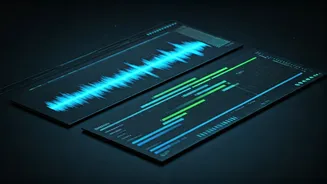
The workflow is becoming remarkably streamlined. First, you record your voice note, either directly within an AI-powered app or by uploading an existing audio file. The AI then gets to work. Within moments, it produces a clean transcript. But alongside it, you’ll often find a concise summary, a bulleted list of key takeaways, and, most importantly, a list of action items. Tools like Otter.ai do this for meetings, but the same principle is now being applied to personal notes. Some platforms can even automatically format the output. For example, you can ask the AI to “turn this into an email for my team” or “organize these points into a table with columns for task, owner, and deadline.” The result is a structured document that serves as the foundation for a formal project schedule.
Tools Leading the Charge
This capability is rapidly being integrated into the tools many of us already use. Microsoft 365 Copilot, for example, can summarize Teams meetings you missed and pull out action items discussed. While you can't just drop a random voice note into it yet, its ability to process spoken conversation points to the future. Apps like Notion AI allow you to paste in a messy, transcribed text and ask it to “find all action items and put them in a checklist.” Dedicated transcription services like Otter.ai and Fireflies.ai are leaders in this space, automatically generating summaries and task lists from meeting audio. The trend is clear: the gap between spoken ideas and structured, digital text is closing fast.
The Crucial Human in the Loop
It’s important to have realistic expectations. The headline “turn… into clean project schedules” is powerful, but the AI doesn’t spit out a finished Gantt chart ready for execution. It provides the building blocks. The AI's output is an excellent first draft—a massive time-saver that eliminates the grunt work of transcribing and initial organization. However, a human touch is still essential. You need to review the AI-generated tasks for accuracy, add context the AI might have missed, assign the tasks to the right people in your project management software (like Asana, Trello, or Jira), and confirm the deadlines. Think of the AI copilot not as an autonomous project manager, but as the world's most efficient personal assistant, taking your raw thoughts and preparing them for your final review and implementation.