





Set the Stage for Success
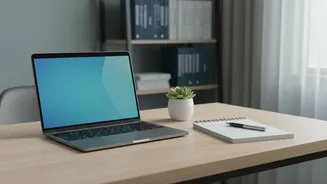
Before you even join the call, your setup speaks for you. A professional appearance starts with how you frame yourself. Position your camera at eye level, not below. Looking down at the camera is unflattering and can project disinterest. Stack a few books
under your laptop if needed to get the right height. Your goal is to have your head, shoulders, and upper torso visible in the frame. This allows colleagues to see your posture and hand gestures, making the conversation feel more natural. Ensure your background is clean and uncluttered, and that your primary light source is in front of you to illuminate your face clearly.
Master the Digital Eye Contact
Making eye contact on a video call feels unnatural at first, but it's crucial for building trust and showing engagement. Instead of looking at the faces on your screen, train yourself to look directly into the camera lens when you are speaking. This simulates direct eye contact for the other participants and makes you appear more confident and focused. When others are speaking, it's natural to watch them on the screen, but remember to shift your gaze back to the camera for your turn. Avoid the temptation to look at your own image, as it can be distracting and make you seem self-conscious.
Project Confidence with Posture
Your posture is a powerful, silent communicator of your energy and confidence. Slouching in your chair can make you appear unenergetic or disinterested. Sit up straight, with your shoulders relaxed and back. Some experts suggest sitting closer to the edge of your seat to maintain an alert and engaged posture. Leaning slightly forward toward the camera when someone is speaking or when you are making an important point can signal keen interest. This simple adjustment makes you appear more professional and actively involved in the conversation.
Use Hand Gestures Naturally
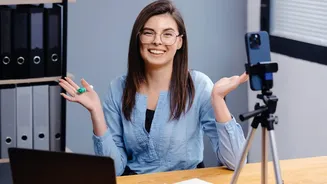
In a physical meeting, we use our hands to explain ideas and add emphasis. Don't let the screen stop you. Using natural, controlled hand gestures makes you appear more dynamic and helps convey your message effectively. Studies of popular public speakers show that effective gesturing can double your impact. Frame your camera so that your hands are visible when you use them. Open-palm gestures can signal honesty and openness. Be mindful not to overdo it, as jerky or constant movements can be distracting on screen. The key is to be natural, as if you were speaking to them in the same room.
Show You Are Listening Actively
In a virtual setting, you have to be more deliberate in showing you are engaged. Since your colleagues can't feel your presence in the room, you need to provide clear visual cues. Nodding your head when you agree or understand a point is a simple but powerful way to show you're paying attention. A genuine smile can also go a long way in building rapport and creating a positive atmosphere. These non-verbal affirmations let the speaker know they are being heard and understood, which is especially important in hybrid meetings where some participants are remote.
Control Nervous Habits
Video calls can amplify nervous habits. Constantly touching your face, playing with your hair, or fidgeting with a pen can be highly distracting and may signal nervousness or even dishonesty to viewers. These actions can unintentionally make you seem insecure or unprepared. Before the call, if you feel anxious, try taking a few deep breaths or stretching to calm your nerves. During the meeting, be conscious of your hands. If you're not gesturing, rest them calmly on your lap or the desk in front of you. This stillness projects an image of calm and control.