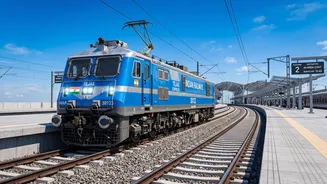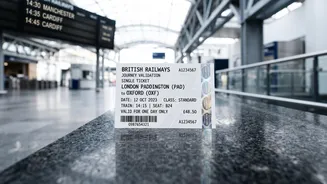







The festive season brings a familiar rush for train tickets, making travel planning crucial. A lesser-known but highly useful IRCTC feature allows you to change your boarding station, offering flexibility and a better chance at confirmed seats.
Understanding Boarding Point Changes
When booking
a train ticket, your 'From' station is the origin. However, Indian Railways allows you to select a different 'Boarding Point'—a station that comes later on the train's route. This flexibility is a game-changer during the festive season. If tickets from your preferred station are unavailable, you might find a confirmed seat by booking from an earlier station and then setting your actual boarding point to the one most convenient for you. This simple trick can be the difference between a waitlisted ticket and a confirmed berth for your holiday travel.
How to Change Your Boarding Station
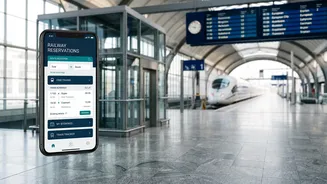
Changing your boarding station for an e-ticket is a straightforward process on the IRCTC website or the Rail Connect app. First, log in to your account and navigate to the 'My Transactions' section, then click on 'Booked Ticket History'. Select the PNR for which you want to make the change. You will see an option for 'Change Boarding Point'. Clicking this will show you a list of all subsequent stations on the train's route. Simply select your new desired station from the dropdown menu and confirm the change. A confirmation SMS will be sent to your registered mobile number, acknowledging the update.
Crucial Rules and Deadlines
This facility comes with important conditions. The most significant is that you can only change your boarding point once per ticket. This change is only permitted for passengers with Confirmed or RAC tickets; it is not available for those on the waitlist. According to revised rules, you can make this change up to 30 minutes before the train's scheduled departure, which is when the second reservation chart is typically prepared. Previously, the cut-off was 24 hours. This new flexibility offers a significant advantage for last-minute plan changes. The service is free of charge and does not alter your ticket fare.
The Risk of Not Updating Your Boarding Point
It is critical to formally change your boarding point if you plan to board from a later station. If you fail to do so and do not board at the originally booked station, the Travelling Ticket Examiner (TTE) has the authority to mark you as a 'no-show'. Your seat can then be allocated to a passenger with an RAC or waitlisted ticket. By simply assuming you can catch the train at a later stop, you risk forfeiting your confirmed seat entirely. Once you change your boarding station, you lose the right to board from the original station.
What About Changing the Destination?
The headline mentions 'alternate station drop_offs', but it's important to clarify a key distinction. While you can easily change where you board the train, Indian Railways does not offer an online facility to change your destination (alighting) station after a ticket is booked. The fare is calculated based on the distance between the origin and destination, and changing this would require a new ticket. However, if you need to travel to a station beyond your booked destination, you can approach the TTE on the train. If there is seat availability, the TTE can extend your journey by collecting the fare difference for the additional travel segment. This is subject to availability and is not guaranteed.
Exceptions and Special Cases
The boarding point change facility is not available for all ticket types. It cannot be used for I–Tickets (physical tickets), tickets booked at the current booking counter, or for PNRs where the VIKALP option has been used. For tickets booked at a physical PRS counter, you must visit a counter with your ticket and a valid ID to request the change. It's also worth noting that with festive special trains running on high–demand routes, such as those announced by Northern Railway for Diwali and Chhath, planning ahead is still your best strategy. Using the boarding point feature wisely can give you an edge.