






Start From the Ground Up
The foundation of good posture begins with your feet. Your chair's height is the first and most crucial adjustment. Stand in front of your chair and adjust the seat until its highest point is just below your kneecap. Now, sit down. Your feet should rest
flat on the floor, with your thighs roughly parallel to the ground. Your knees should be bent at about a 90-degree angle, and they should be level with or slightly lower than your hips. If your feet are dangling, even slightly, your chair is too high. If your knees are pointing upwards, it's too low. If you adjust your chair to the right height for your arms and your feet no longer touch the floor, use a footrest to provide support.
Mind the Gap: Adjusting Seat Depth
Once your height is set, pay attention to the seat pan depth. Sit all the way back, so your spine is making full contact with the backrest. Now, check the space between the front edge of the seat and the back of your knees. You should be able to fit two or three fingers in this gap. If the seat is too deep, it can press against the back of your calves and restrict circulation. If it's too shallow, your thighs won't have adequate support. Many ergonomic chairs have a lever that allows you to slide the seat pan forward or backward to achieve this perfect positioning.
Support Your Spine's Natural Curve
A rigid, perfectly upright posture is not sustainable. Modern ergonomics suggests that a slightly reclined backrest angle, between 100 and 110 degrees, is ideal for reducing pressure on your spinal discs. Adjust your backrest to support this comfortable, open angle. More importantly, find the lumbar support adjustment. This component should fit snugly into the natural curve of your lower back, roughly at belt level. The support should feel present and supportive, but not forceful. It’s designed to prevent you from slouching and flattening your lower back curve, which is a major cause of pain.
Let Your Shoulders Relax
Armrests play a critical role in reducing strain on your neck and shoulders. The goal is to have your shoulders completely relaxed, not hunched or shrugged. With your upper arms hanging loosely by your sides, adjust the armrest height until they just touch your elbows. Your elbows should be bent at a 90 to 100-degree angle. Your forearms should be able to rest lightly on the armrests without you having to push your shoulders up or slump down to reach them. If your armrests prevent you from getting close enough to your desk, consider adjusting their width or even removing them.
Align Your Chair with Your Workspace
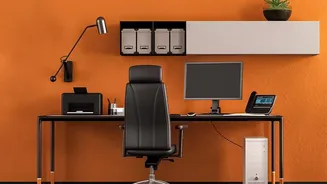
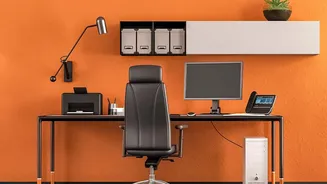
Your chair is only one part of the ergonomic equation. Once it's properly adjusted, ensure the rest of your workstation is in sync. Your keyboard and mouse should be positioned so that your elbows remain close to your body and your wrists are straight while typing. Your monitor should be placed at about an arm's length away, with the top of the screen at or just below eye level. This prevents you from craning your neck up or down, completing the final piece of your pain-free setup. If you adjust your chair correctly but still have to reach up for your desk, the desk is too high.