




The View from the Top: Screen Placement
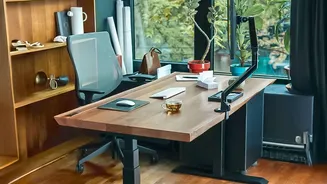
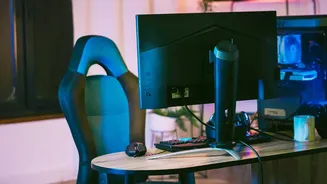
One of the most common ergonomic mistakes involves your screen. Whether it's a laptop or an external monitor, its position dictates your neck and head posture. If you're constantly looking down, you're putting significant strain on your neck and upper
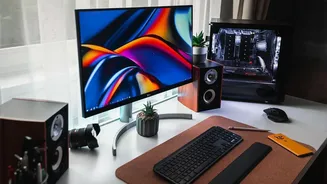
back. The goal is to keep your head level and facing forward. To achieve this, position your monitor so the top of the screen is at or slightly below your eye level. It should also be about an arm's length away from you. For laptop users, this almost always means using a separate keyboard and mouse, with the laptop placed on a stand or stack of books to elevate the screen to the proper height. This single adjustment can dramatically reduce neck and shoulder discomfort.
Your Chair: The Foundation of Good Posture
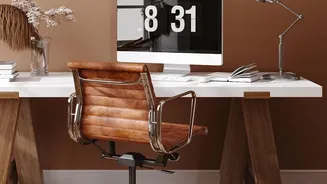
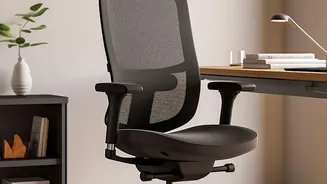
Your chair isn't just a place to sit; it's the foundation for your entire posture. The first step is adjusting the height. Your feet should rest flat on the floor, with your knees bent at approximately a 90-degree angle and your thighs roughly parallel to the ground. If your chair is at the right height for your desk but your feet are dangling, a footrest is essential. Ensure your lower back is fully supported by the chair's lumbar curve, sitting all the way back in your seat rather than perching on the edge. Armrests should be positioned to let your shoulders relax, with your elbows resting gently near your body.
A Rest for Your Wrists and Arms
Wrist pain is a frequent complaint for desk workers, often stemming from the position of the keyboard and mouse. These tools should be on the same level and placed so that your elbows are bent at a roughly 90-degree angle while typing. Your wrists should remain straight and in a neutral position, not bent upwards or downwards. If you find yourself reaching for your mouse, bring it closer to your keyboard. Some people find relief by using ergonomic keyboards or vertical mice, which promote a more natural hand and wrist posture, reducing strain over long periods. Also, be mindful of hard desk edges, which can create pressure on your forearms; a wrist rest or padded edge can offer protection.
The Unsung Hero: Foot Support
The importance of foot support is often underestimated. When your feet don't have a stable base, your body compensates in ways that compromise posture, such as slouching or sliding forward in your chair. This puts extra strain on your lower back. A footrest solves this by ensuring your feet are supported, which helps maintain the correct knee and hip angles, distributes your weight evenly, and can even improve circulation by preventing the edge of the chair from digging into the back of your thighs. Even if you're tall, a footrest can provide comfort by allowing you to shift your position throughout the day.
Beyond the Desk: Light, Clutter, and Movement
A truly ergonomic workspace considers more than just your body position. Proper lighting is crucial to prevent eye strain; try to reduce glare on your screen from windows or overhead lights. A tidy, organised desk can reduce mental clutter and improve focus. Most importantly, no setup can replace the need for movement. Make it a habit to take short breaks at least once an hour to stand up, stretch, and walk around. You can also practice the 20-20-20 rule to give your eyes a rest: every 20 minutes, look at something 20 feet away for 20 seconds. These small actions keep your muscles from becoming stiff and your mind refreshed.