








The Science of a Wi-Fi Signal
To fix your Wi-Fi, it helps to first understand how it works. Most home routers use omnidirectional antennas. Think of the signal they broadcast not as a perfect sphere, but as a donut shape spreading out from the antenna. The signal is weakest directly
above and below the antenna and strongest radiating outwards, perpendicular to the antenna itself. This means the physical orientation of the antenna has a direct and significant impact on where your Wi-Fi signal is strongest. It’s not just a piece of plastic; its position is crucial for performance.
Vertical Antennas for Single Floors
For homes, apartments, or offices on a single level, the goal is to spread that donut-shaped signal out horizontally to cover the entire floor. The way to do this is by pointing your router’s antennas straight up, in a vertical position. When an antenna is vertical, it pushes the signal outward across the same plane, much like the ripples from a pebble dropped in a calm pond. This orientation maximizes horizontal coverage, sending a strong signal across your rooms, from the living room to the bedroom. If your router is on one side of the house, this simple trick can help the signal reach the other side more effectively.
What About Multi-Story Homes?
The advice changes if you need to get a good signal on different floors. In a multi-story home, purely vertical antennas would concentrate the signal on each floor but struggle to travel between them. For these layouts, a mixed approach is best. If your router has two antennas, position one vertically to handle horizontal coverage and one horizontally. A horizontal antenna radiates the signal up and down, helping to cover the floors above and below. If you have more than two antennas, you can experiment with angling them at 30 or 45 degrees to create a more comprehensive web of coverage.
Router Placement Still Matters
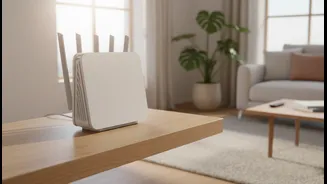
Adjusting your antennas is a great first step, but it works best when combined with proper router placement. A router’s signal is weakened by distance and physical obstructions like walls, furniture, and even home appliances like microwaves. For the best results, place your router in a central location in your home, as open as possible. Avoid stashing it in a cabinet, a closet, or on the floor. Elevating the router on a table or shelf can also significantly improve its performance by giving the signal a clear path.
When Vertical Antennas Aren't Enough
While antenna orientation is a powerful tool, it can't solve every Wi-Fi problem. If you've positioned your antennas and router correctly but still have persistent dead zones, other factors could be at play. Your router might be old and in need of an upgrade to a newer Wi-Fi standard like Wi-Fi 6. Your home's construction materials, such as concrete or metal, might be blocking the signal. In dense areas, interference from your neighbors' Wi-Fi networks can also cause congestion. If these issues persist, it may be time to consider solutions like a Wi-Fi range extender or a mesh Wi-Fi system to provide consistent coverage throughout your home.