






Your Foundation: Perfecting Chair Height and Depth
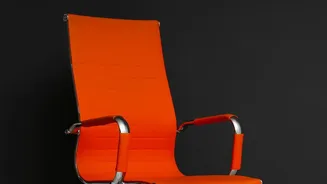
Your chair is the most critical piece of the ergonomic puzzle. The goal is to create a stable, supportive base for your posture. Start by adjusting the seat height. Your feet should rest flat on the floor, with your thighs parallel to the ground and your knees
bent at roughly a 90-degree angle. If your feet dangle, use a footrest or a stack of sturdy books to bring the floor up to you. Next, address the seat depth. Sit all the way back so your hips touch the back of the chair. There should be a small gap, about two to three fingers wide, between the front edge of the seat and the back of your knees. This prevents the seat from cutting off circulation or forcing you to slouch forward.
Supporting Your Spine: The Importance of the Backrest
Once your height and depth are set, focus on your back. Your spine has a natural S-shaped curve, and the lumbar (lower) region curves inward. Your chair's backrest should support this curve. Adjust the lumbar support so it fits snugly into the small of your back, around your belt line. If your chair lacks built-in adjustable support, a rolled-up towel or a small cushion can work wonders. The backrest angle should be positioned to support you in a neutral, upright position, though a slight recline of up to 110 degrees can also be comfortable and relieve pressure. The key is to use the backrest, allowing it to support your weight rather than holding yourself stiffly in position all day.
The Right View: Adjusting Your Monitor
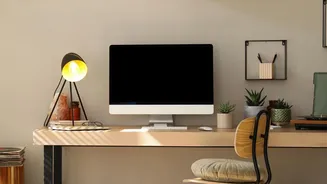
Staring down at a screen is a primary cause of neck and shoulder strain, often called "tech neck". To avoid this, position your monitor directly in front of you. The top of the screen should be at or just slightly below your eye level. This allows your eyes to naturally gaze slightly downward without needing to bend your neck. If your monitor is too low, use a monitor stand or a stack of books to raise it. The screen should also be about an arm's length away from your face. This distance helps reduce eye strain and prevents you from leaning or squinting. If you work primarily on a laptop, consider getting an external keyboard and mouse. This allows you to elevate the laptop screen to the correct height while keeping the keyboard at a comfortable typing level.
Final Touches: Armrests and Posture
Your arms and shoulders also play a role in overall comfort. Adjust your chair’s armrests so your elbows can rest comfortably at about a 90-degree angle, with your shoulders relaxed and not hunched. The armrests should be high enough to support your forearms but not so high that they force your shoulders up toward your ears. When typing, your wrists should be in a neutral, straight position, not bent up or down. Keep frequently used items like your mouse and phone close to avoid repetitive reaching and twisting. By aligning your chair, monitor, and posture, you create a system where your skeleton provides support, allowing your muscles to relax.
Beyond the Setup: The Power of Movement
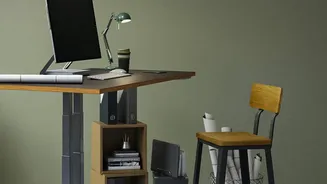
Even the most perfectly ergonomic setup has its limits. Our bodies are not designed to stay in one position for hours on end. Static posture, even good posture, can lead to muscle fatigue and stiffness. It is crucial to incorporate movement into your day. Experts recommend a rhythm of sitting, standing, and moving. One popular guideline is the 20-8-2 rule: 20 minutes of sitting, 8 minutes of standing, and 2 minutes of moving or stretching. If a standing desk isn't an option, simply taking short breaks every 30 to 60 minutes to stand up, walk around, and stretch can make a significant difference in preventing discomfort and keeping your spine healthy.