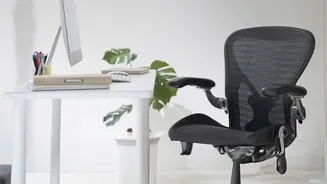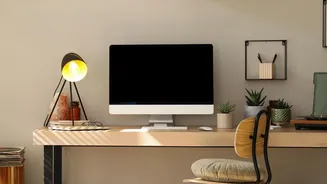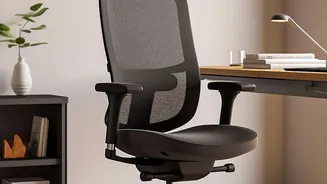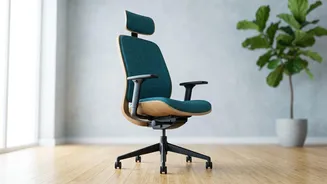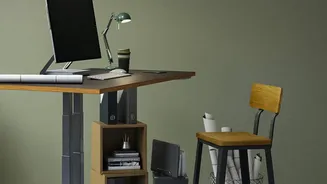






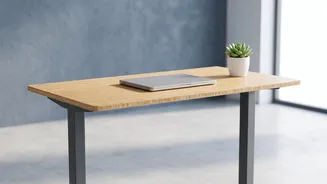


The shift to remote work has brought flexibility, but it has also led to a rise in aches and pains. That persistent stiffness in your neck or tension in your shoulders might be from more than just stress—it could be your desk setup itself.
Understanding the 'Tech Neck' Epidemic
One of the most
common complaints among remote workers is persistent neck and shoulder pain, a condition often dubbed 'tech neck'. This happens when your monitor is positioned too low, forcing you to crane your neck downwards for hours at a time. This forward head posture puts significant strain on your cervical spine and the surrounding muscles. When your head, which weighs a surprising 4.5 to 5.5 kilograms, is pushed forward, the force on your neck muscles increases dramatically. Over time, this sustained tension can lead to chronic pain, stiffness, headaches, and even long-term postural problems. Similarly, a monitor that is too high can cause you to tilt your head back, fatiguing the neck and shoulder muscles in a different but equally damaging way.
The Golden Rule of Monitor Ergonomics
The fundamental principle for correct monitor placement is simple: the screen should adapt to your natural posture, not the other way around. For most users, this means the top edge of your monitor's screen should be at, or slightly below, your eye level when you are sitting up straight. Your eyes should naturally hit the top third of the screen when looking straight ahead. This position allows your neck to remain in a neutral, relaxed curve, with your head balanced directly over your spine. The second part of this rule is distance. Your monitor should be about an arm's length away from your eyes, typically between 20 to 28 inches. This distance helps you see the entire screen without moving your head and reduces eye strain.
Simple Fixes for an Ideal Setup
Achieving the correct monitor height doesn't require a complete office overhaul. While adjustable monitor arms offer the most flexibility, there are many simple, low-cost solutions. The most common fix is to use a monitor stand or riser. If you don't have one, a sturdy stack of books, a wooden crate, or even a simple concrete block can work perfectly to elevate your screen to the right level. For those working on a laptop, the issue is even more pronounced because the screen and keyboard are attached. The best solution is to use an external keyboard and mouse. Place the laptop on a stand or a pile of books to raise the screen to eye level, and then type from a comfortable, neutral position.
Beyond Height: Other Ergonomic Essentials
While monitor height is crucial, it’s part of a larger ergonomic picture. Your chair should allow your feet to rest flat on the floor with your knees at roughly a 90-degree angle. Your keyboard and mouse should be positioned so that your elbows are also at a 90-degree angle, with your wrists straight and relaxed, not bent up or down. Also, pay attention to lighting. Position your monitor to avoid glare from windows or overhead lights, which can cause eye strain and lead you to adopt awkward postures to see the screen clearly. Finally, remember to move. Even with a perfect setup, sitting in one position for too long causes muscle fatigue. Take short breaks every hour to stand up, stretch, and give your body a rest.