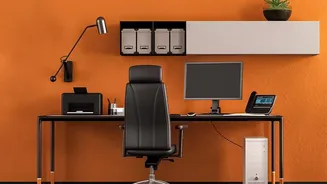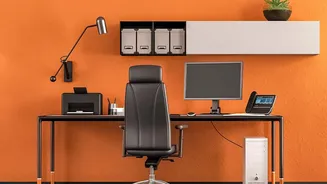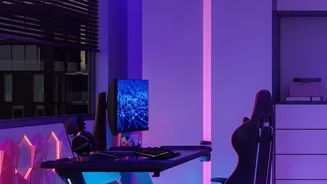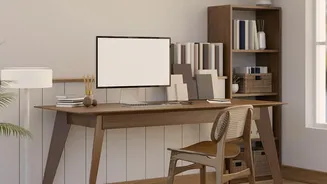








Your Foundation: The Perfect Chair Position
Your chair is the single most important piece of ergonomic equipment. Start by adjusting its height so your feet rest flat on the floor with your thighs roughly parallel to it. Your knees should be at about a 90-degree angle. If your feet dangle, use
a footrest. Next, address your lower back. Your chair should have lumbar support that fits the natural curve of your spine. If it doesn’t, a rolled-up towel or a small cushion can work wonders. Finally, set your armrests so your elbows can rest at a 90-degree angle, allowing your shoulders to relax instead of hunching. You should be able to sit all the way back, feeling supported from your lower back to your shoulders.
The Screen Scene: Ideal Monitor Placement
Craning your neck to see your screen is a primary cause of stiffness and pain. The solution is to position your monitor correctly. Place it directly in front of you, about an arm's length away. This distance prevents you from leaning forward or squinting. The height is just as crucial: the top of your screen should be at or slightly below your eye level. This allows you to look slightly downward toward the center of the screen, which is a more natural position for your neck. If you wear bifocals, you may need to position the monitor a little lower. Also, be mindful of glare from windows or overhead lights, which can cause you to twist into awkward positions to see properly.
At Your Fingertips: Keyboard and Mouse
Your keyboard and mouse should be on the same level and positioned to keep your wrists straight and your arms relaxed. They should be close enough to your body that your elbows remain near your sides, maintaining that 90-degree angle. Avoid placing the keyboard too far back on the desk, as this forces you to reach and puts strain on your shoulders. A distance of about 5 to 15 cm from the edge of the desk is often recommended. Your mouse should be right beside your keyboard to prevent you from stretching your arm out to the side. When not actively typing or clicking, try to relax your hands rather than hovering over the keys.
Beyond the Setup: The Power of Movement
Even the most perfectly ergonomic setup has a flaw: it encourages you to stay still. A static posture, even a good one, can lead to muscle stiffness and fatigue. The human body is designed to move. Ergonomics experts agree that regularly changing your position is one of the most effective ways to stay comfortable and prevent pain. Set a reminder to get up, stretch, and walk around for a few minutes at least once every hour. Simple stretches like shoulder rolls, spinal twists, or just standing up can improve circulation, relieve muscle tension, and keep your joints mobile. Combining a proper ergonomic setup with frequent movement breaks creates a truly sustainable and healthy work routine.