







Understanding the Special Summary Revision
The Election Commission of India (ECI) regularly conducts a Special Summary Revision (SSR) to update the electoral rolls. This is an official annual exercise to ensure the voter lists are accurate ahead of elections. As of October 2026, a revision process
is active for 17 states and Union Territories. This window, which runs from November 12 to December 11, allows citizens to file claims and objections before the final electoral roll is published on January 4, 2027. It is the perfect time to make corrections to your existing Voter ID, formally known as the Electoral Photo Identity Card (EPIC). This process is distinct from a Special Intensive Revision (SIR), which involves preparing the electoral roll from scratch. The current SSR simply updates the existing list.
What Corrections Can You Make?
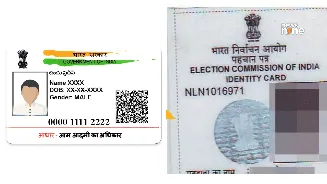
The online process allows for a wide range of corrections to ensure your EPIC details are accurate. Using the designated form, you can rectify common errors in your name (misspellings or legal name changes), date of birth, age, gender, address, and even your photograph. The system allows an applicant to correct up to four details in a single application, making it an efficient process. All corrections are handled through Form 8, the official application for the 'Correction of entries in electoral roll'.
Documents You Will Need
Before starting the online application, gather the necessary documents. For each correction, you will need a self-attested scanned copy of a supporting document. For a name correction, an Aadhaar card, PAN card, passport, or marriage certificate (for post-marriage name changes) will work. For a date of birth correction, a birth certificate, Class 10/12 marksheet, Aadhaar, or PAN card is required. For an address change within the same constituency, documents like a recent utility bill, Aadhaar card, or a registered rent agreement are acceptable. Make sure the scanned copies are clear and legible to avoid rejection.
The Step-by-Step Online Guide
The entire process is managed through the ECI's official Voters' Service Portal. First, visit the portal at voters.eci.gov.in. If you are a new user, you'll need to sign up using your mobile number and email address. Once registered, log in with your credentials. On the dashboard, look for the option 'Shifting of Residence/Correction of Entries/Replacement of EPIC/Marking of PwD' and select 'Form 8'. You will be asked to confirm if the application is for yourself or another elector and then prompted to enter your EPIC number. The system will pull up your existing details. Select the option for 'Correction of entries in existing electoral roll'. You will then see a list of fields you can correct, such as name, photo, address, and date of birth. Tick the box next to the detail you wish to change, and enter the correct information in the corresponding field. Next, you must upload the scanned copy of the self-attested supporting document for each correction you are making. After filling in the declaration and entering the captcha, you can preview the form to ensure all details are correct before final submission.
Tracking Your Application Status
Once you submit Form 8, the portal will generate a reference ID. This number is crucial, so be sure to save it. You can use this reference ID to track the status of your application directly on the Voters' Service Portal. Navigate to the 'Track Application Status' section, enter your reference ID, and you will be able to see whether your application is under review, approved, or rejected. This transparency allows you to follow the process from submission to completion. The correction service is provided free of charge by the ECI.