




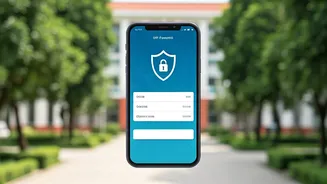


The Golden Rule: Remember This Before Any Transaction
Before we dive into the specific scams, let's establish one crucial, non-negotiable rule: You only need to enter your UPI PIN to *send* money. You NEVER need to enter your PIN to *receive* money. Scammers often exploit confusion around this point. If
someone asks you to enter your PIN, scan a QR code, or approve a request to receive a payment, it is a scam. Memorising this single fact can protect you from a majority of fraudulent attempts.
Scam 1: The Deceptive QR Code
This scam is dangerously simple. You're selling an old book or splitting a bill, and the 'buyer' sends you a QR code to scan to receive the money. However, instead of crediting your account, scanning the code and entering your PIN actually authorises a payment *from* your account to the scammer. Fraudsters might even replace legitimate QR codes in shops with their own. **How to Avoid It:** Never scan a QR code sent by an unknown person to receive money. Always verify the merchant's name and the amount displayed on your screen after scanning a code *before* you enter your PIN to make a payment.
Scam 2: The Fake 'Collect Request'
This is a popular method used on online marketplaces. A scammer, posing as a buyer for an item you're selling, will send you a 'collect request' on your UPI app instead of paying you. They'll often create a sense of urgency, hoping you'll approve the request without reading the details carefully. Once you enter your PIN to 'authorise the refund' or 'accept the payment', the money is debited from your account. **How to Avoid It:** Always read the notification on your UPI app carefully. It will clearly state whether you are sending or receiving money. Decline any unexpected 'collect' or 'payment' requests, especially when you are supposed to be the one getting paid.
Scam 3: Phishing and Fake Customer Support
Fraudsters create fake websites, send text messages with malicious links, or even pose as customer support executives from banks or payment apps. They might claim there's an issue with your KYC or account and trick you into sharing your UPI PIN, OTPs, or other sensitive details. Another common tactic is tricking you into downloading remote access apps, which allows them to see and control your phone screen, capturing your PIN as you type it. **How to Avoid It:** Banks and official UPI apps will never call or message you asking for your PIN or OTP. Never click on unsolicited links or download apps from unknown sources. If you need customer support, always use the official contact numbers and channels listed on the company's website or app.
Your Digital Safety Checklist
Building good habits is your best defence. Always verify the recipient's UPI ID and name before sending money. Set a strong, unpredictable PIN and don't share it with anyone. Regularly review your transaction history for any unauthorised activity. Use secure Wi-Fi networks for transactions and avoid public, unsecured ones. Enable security features like biometric locks on your UPI apps for an extra layer of protection.
I've Been Scammed. What Do I Do Now?
Time is critical if you fall victim to fraud. The sooner you act, the higher the chances of recovering your money. 1. **Call the National Cyber Crime Helpline:** Immediately dial 1930. This helpline is designed for urgent financial fraud reporting and can help initiate a freeze on the scammer's account. 2. **Report to the Portal:** File a formal complaint on the National Cyber Crime Reporting Portal at cybercrime.gov.in. This creates an official record of the fraud. 3. **Inform Your Bank and UPI App:** Contact your bank's fraud department and report the transaction. Also, use the 'report' or 'raise dispute' option within the UPI app for the specific transaction. Under RBI guidelines, if you report an unauthorised transaction within three days, you may have zero liability. Prompt reporting is key.