





Why This Final Check Matters
You’ve calculated your income, claimed your deductions, and computed your final tax liability. The last step before filing your Income Tax Return (ITR) is often paying the self-assessment tax. It feels like the finish line, but this is where a moment
of carelessness can undo all your hard work. An error in your tax payment challan can lead to a mismatch between the tax you've paid and the amount declared in your ITR. The Income Tax Department's automated systems may not be able to credit the payment to your PAN, resulting in an outstanding tax demand notice sent your way. In other cases, it can delay the processing of your return and any potential refunds. Rectifying these errors involves a separate, often tedious, process that can consume time and cause unnecessary stress.
Decoding the Tax Payment Challan
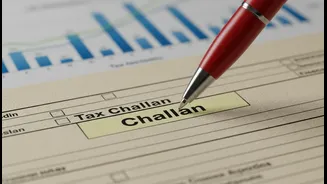
When you pay taxes online through the e-pay tax facility on the income tax portal, you are required to fill in a challan. For income tax, this is typically done via Challan ITNS 280. It's crucial to get every detail right. The most common points of confusion are the Assessment Year (AY) and the type of tax. The Financial Year (FY) is when you earn the income (e.g., April 1, 2025, to March 31, 2026, is FY 2025-26). The Assessment Year is the year that follows, in which the income from the previous FY is assessed (e.g., AY 2026-27). ITR forms always ask for the AY, so ensure you select the correct one. Another critical field is the 'Type of Tax Payment.' If you're paying tax before filing your return, you should select '(300) Self-Assessment Tax.'
Your Pre-Payment Checklist
Before you click 'proceed' to make the payment, run through this final checklist. These are the most common areas for mistakes:
1. PAN Details: Double-check your Permanent Account Number. A single incorrect character will mean the tax is not credited to you.
2. Assessment Year (AY): This is the most frequent error. For income earned in FY 2025-26, you must select AY 2026-27. Choosing the wrong AY means the payment won't be reflected for the correct filing period.
3. Type of Payment: Ensure it's marked as 'Self-Assessment Tax' if paying dues before filing. Using 'Advance Tax' by mistake after the financial year has ended can cause processing issues.
4. Tax Amount: Carefully enter the exact figures for Income Tax, Surcharge, and Cess. Breaking it down correctly in the challan is as important as the total amount.
Post-Payment Verification Steps
Making the payment isn't the final step. Verification is. After a successful transaction, you will receive a challan counterfoil containing a Challan Identification Number (CIN). Save this receipt immediately, as you will need to enter its details (like BSR code and challan serial number) into your ITR form. After a few days, you should also log in to the income tax portal and check your Form 26AS or Annual Information Statement (AIS). The tax payment you made should appear here. If it doesn't, it's a sign that something may have gone wrong with the challan details. You can check the status of your challan on the tax information network (TIN) portal using the CIN. If you find a mistake, the income tax portal now offers a 'Challan Correction' facility for certain errors, which should be used before filing your return.
Common Errors and How to Prevent Them
Beyond the major details, smaller mistakes can also trip you up. Entering the wrong bank account information can cause payment failures. Not keeping a record of the challan receipt can make it difficult to prove payment if a dispute arises. Another pitfall is rushing. The ITR filing deadline for most individuals for AY 2026-27 is July 31, 2026. However, leaving tax payment to the last minute increases the chances of error. Plan to complete your payment at least a few days before the deadline to give yourself a buffer. This allows time for the payment to be reflected in your Form 26AS and for you to make any necessary corrections without the pressure of a looming deadline. This simple diligence ensures your filing process concludes smoothly.