






Prepare Your Passenger Details with the Master List
The single most effective way to save time is to avoid typing passenger details during the booking rush. IRCTC's 'Master List' feature is your best friend here. It allows you to save the details of up to 20 frequent travellers—including name, age, gender,
ID proof, and berth preference—directly to your profile. Before booking, go to 'My Profile' and pre-fill this list with information for yourself, family, and friends. During the booking process, instead of frantically typing each person's details, you can simply select them from the list, auto-filling the entire form in a single click. This trick alone can shave crucial seconds, or even minutes, off your booking time, which is especially vital for high-demand Tatkal tickets.
Know Your Booking Windows and Be Ready
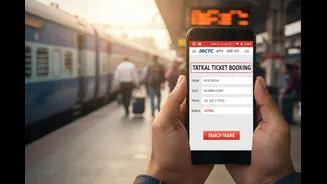
Timing is everything. For general advance reservations, the window typically opens at 8 AM, 60 days before the journey. However, the real battle is for Tatkal tickets, which are meant for urgent travel and open one day before the train's departure from its originating station. The timings are specific and non-negotiable: the window for AC classes (1A, 2A, 3A, CC, EC) opens at 10:00 AM, while the window for non-AC classes (Sleeper, Second Sitting) opens at 11:00 AM. It's critical to log in to your IRCTC account at least 5-10 minutes before the window opens to avoid login traffic jams. Have your journey details pre-filled on the 'Plan My Journey' page and be ready to hit search the moment the clock strikes the hour.
Choose Your Payment Method Wisely
The payment gateway is where many aspiring travellers lose the race for a confirmed ticket. The key is to use the fastest method that requires the fewest steps. The IRCTC eWallet is often cited as the quickest option because it is a pre-loaded wallet that doesn't require waiting for bank redirects or One-Time Passwords (OTPs). You simply need to ensure it's topped up with sufficient funds before you start booking. The next best option is usually UPI, which allows for quick payment approval directly from your mobile app. Have your UPI app open and be ready to enter your PIN instantly. Methods like credit/debit cards and net banking can be slower due to the multiple steps and OTP verification, which can cost you precious seconds.
Decide Between the App and Website
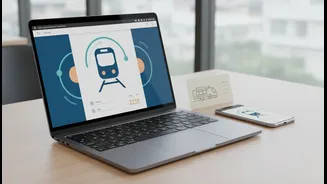
The choice between the IRCTC Rail Connect app and the desktop website can influence your speed. Many users find the app interface to be quicker and more streamlined, especially when passenger details are saved in the Master List and a fast payment method like UPI is used. However, some experts argue that a desktop website on a stable, wired internet connection offers better performance during periods of extremely high traffic, as it is less prone to freezing. A desktop also allows you to have multiple tabs open as a backup in case one session encounters an error. The best approach is to practice on both platforms to see which you are more comfortable and faster with. For Tatkal bookings, using the official IRCTC platforms is recommended over third-party apps, which can add slight delays.
Your Pre-Booking Final Checklist
Success lies in the final minutes of preparation. About 15 minutes before the booking window opens, run through this checklist. Ensure you are logged into a stable, high-speed internet connection; public or shared Wi-Fi can be unreliable. Double-check that your Master List is updated and your chosen payment method, like an eWallet or bank account for UPI, has sufficient funds. Have your train number and class preference decided in advance. Fill in the 'From' and 'To' stations on the search page and select the 'Tatkal' quota if applicable. Finally, keep your mind calm. The process can be frantic, but being prepared helps you navigate the steps smoothly and accurately, avoiding the small mistakes that can lead to a waitlisted ticket.